

Today I received an email with a plea for help from Rav. The contents are as follows:
In desperation I am emailing to you for help or direction.
I cannot connect my iphone to any computer ( used different computers and cables). Was able to do so but I think I downloaded software through installer and since than iphone is @#$@$#. Currently can only charge iphone using AC power or in my car .
am happy to pay for some help as I have been googling for a week to get some help.
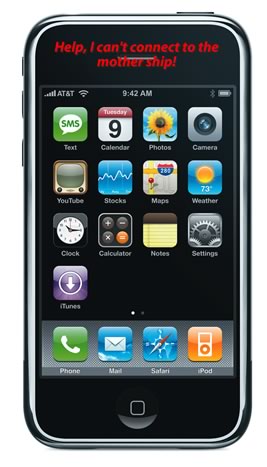
Well, first, I don’t have a solution (yet), but I do have some things that you can try to resolve. I decided to make this a blog post in case there are others who have the same problem and any who may have solved it. Second, I don’t charge for the solutions that I provide so hopefully the thanks can be people clicking on my banner ads (grin) or donating gadgets to me (super grin).
Anyway, we need to understand the environment. I have a list of questions that will need to be answered in order to troubleshoot this better.
- What version is your iPhone?
- Has it been unlocked?
- Has it been Jailbroken? (I’m assuming in this case “Yes” because you say that you loaded some software)
- What were the 3rd Party Apps that you recently added?
- Have you tried both Macs and PCs with iTunes?
- What version of iTunes are you using?
- Have you tried different cables (You answered “Yes”)
- Are you using USB cables only (iPhones won’t sync with Firewire)
- When you plug in your iPhone to the computer, does it acknowledge that it is attached (through sound or visual)?
- When plugged in to the computer, does your iPhone charge? (I’m assuming not)
- Have you tried a Soft Reset? (Hold down the home button and the power button until it restarts and you see the Apple logo showing)
- Do you have a full backup of your iPhone from a previous sync (and do you care if you lose anything…I hope not).
- Have you tried to put your iPhone in recovery mode (Turn your phone off. Press and Hold the HOME button and plug in your iPhone into your Mac or PC. Continue holding the HOME button until you see a yellow triangle and the text “Please connect to iTunes”. Release the HOME button. Open iTunes, if it isn’t already open and see if it is recognized now. You might be prompted to restore or recover. This may take a bit of time.)
Just add your answers to the comment box of this post and we can go from there. If anyone else has recovered from a similar situation, please drop a comment by as well.
HTD says: Hang in there, we will work through this!


70 comments
Mysticarchives
My iPhone 4 does not charge through PC or Mac,
as such I’m unable to obtain the updates for my device. The only way I’m able
to obtain a charge on the phone is through non-Apple issued methods. I have 2
RCA clocks with iPod docking station that is able to charge my phone and 2 off
brand car chargers that are both able to charge it, but any connection to computer
is undetected. I have a ViewSonic monitor with a docking station, that I tried,
but it fails to connect through that port as well. 3 different cables across
multiple USB ports directly connected to the motherboard on 2 PC’s and an iMac.
I’ve also answered the questions presented above. Any assistance would be
greatly appreciated.
1. What version is your iPhone? iPhone 4
2. Has it been unlocked? I don’t understand the
question but it is a functioning cell phone serviced through At&t.
3. Has it been Jailbroken? Never jail broke my phone
4. What were the 3rd Party Apps that you
recently added? All apps installed are from the iTunes Software Store.
5. Have you tried both Macs and PCs with
iTunes? Yes
6. What version of iTunes are you using? 10.5
7. Have you tried different cables – Yes, all
of them are Apple issued.
8. Are you using USB cables only (iPhones won’t
sync with Firewire) – Yes, all cablces are USB
9. When you plug in your iPhone to the computer, does it acknowledge
that it is attached (through sound or visual)? No, it is not detected
at all.
10. When plugged in to the computer, does your iPhone charge?
No it doesn’t, nor does it detect connection while in recovery mode.
11. Do you have a full backup of your iPhone
from a previous sync (and do you care if you lose anything…I hope not). –
Partial backup and I don’t mind
12.
Have you tried to put your iPhone in recovery
mode – Yes and DVU mode as well.
Msbizpro
Hello! found you through Bing.My laptop goes to bluescreen when I plug the iPhone cable into the USB port.Here’s my answers:What version is your iPhone? 3gsHas it been unlocked? don’t know???Has it been Jailbroken? don’t know??? – I have successfully loaded and updated many apps What were the 3rd Party Apps that you recently added? Talking Tom Cat, ourStage, Heart FitnessHave you tried both Macs and PCs with iTunes? Works fine on a Mac at the local apple storeWhat version of iTunes are you using? 10Have you tried different cables YesAre you using USB cables only Yes When you plug in your iPhone to the computer, does it acknowledge that it is attached (through sound or visual)? sound When plugged in to the computer, does your iPhone charge? (I’m assuming not) NotHave you tried a Soft Reset? (Hold down the home button and the power button until it restarts and you see the Apple logo showing) With just the power button, doesn’t help. Tried both power and home, doesn’t go back to the logo until I hold down power button again.Do you have a full backup of your iPhone from a previous sync (and do you care if you lose anything…I hope not). Not really – last sync was Feb. to my PC, now in storage; and yes I do care.Have you tried to put your iPhone in recovery mode (Turn your phone off. Press and Hold the HOME button and plug in your iPhone into your Mac or PC. Continue holding the HOME button until you see a yellow triangle and the text “Please connect to iTunes”. Release the HOME button. Open iTunes, if it isn’t already open and see if it is recognized now. You might be prompted to restore or recover. This may take a bit of time.) WILL THIS CAUSE LOSS OF STORED FILES AND DATA?
hightechdad
If your windows machine is blue screening when you plug in your iPhone, you have some sort of a hardware or driver issue. I would recommend being sure that you have fully updated your Windows machine (what version are you on?) with the latest software updates from Microsoft. You can also uninstall iTunes and then re-download and install it. Then try connecting again.
Good luck!
babyangeleah
1# What version is your iPhone? Iphone 3G# Has it been unlocked? Yes.# Has it been Jailbroken? Yes# What were the 3rd Party Apps that you recently added? Cydia and Rock# Have you tried both Macs and PCs with iTunes? Yes # What version of iTunes are you using? iTunes 10# Have you tried different cables? Yes# Are you using USB cables only? Yes# When you plug in your iPhone to the computer, does it acknowledge that it is attached It only acknowledges it as a camera, and not an iPhone? Nothing is happening# When plugged in to the computer, does your iPhone charge? No# Have you tried a Soft Reset? Yes couple of times already# Do you have a full backup of your iPhone from a previous sync? No# Have you tried to put your iPhone in recovery mode? Yes. Didn’t work.
hightechdad
Well, I have always been able to get out of the different loops that I
have been stuck in. Did you ever manually replace the battery? Or any
other modifications to the iPhone?
So, try a different computer and a different cable. See if you can use
iRecovery (I think that’s the name) to kick your phone into recovery
mode (or out of it).
Are you plugging the iPhone into a USB hub? Sometimes the iPhone needs a
higher powered USB connection.
Hard to tell if I don’t have the device in hand. Sorry.
babyangeleah
# What version of iTunes are you using? iTunes 10
# Have you tried different cables? Yes
# Are you using USB cables only? Yes
# When you plug in your iPhone to the computer, does it acknowledge that it is attached It only acknowledges it as a camera, and not an iPhone? Nothing is happening
# When plugged in to the computer, does your iPhone charge? No
# Have you tried a Soft Reset? Yes couple of times already
# Do you have a full backup of your iPhone from a previous sync? No
# Have you tried to put your iPhone in recovery mode? Yes. Didn’t work
PLEASE HELP? THANKS…
babyangeleah
Mysticarchives
My phone is doing the same thing. 3 cables, on 2 pcs and mac. The only way my phone charges right now is on a RCA clock ipod docking station or in the car.
girllostwithouthercell
i have an iphone classic 2g. it 2wont go into recovery mode. ive tried synching it to three omputers, bought different cords, until i then restored it to factory mode, like meaning i erased everything and it still dont work. itunes dont recognize it, computer (windows) says usb device malfunctioned/recognized. i dont know what to do!
Chrisprice93551
Hello , My ATT I Phone Version ONE will charge on my radio docking station as it seems to insert more of the plug but not through a data cable to my pc and I have tried two cables with no results . The cable does not recognize the phone or the sim card installed. Any ideas?
Fkp
1.What version is your iPhone? 4.3
2.Has it been unlocked? yes by provider
3.Has it been Jailbroken? (I’m assuming in this case “Yes” because you say that you loaded some software) no
4.What were the 3rd Party Apps that you recently added? none
5.Have you tried both Macs and PCs with iTunes? just pcs
6.What version of iTunes are you using?10.2.1
7.Have you tried different cables (You answered “Yes”) yes
8.Are you using USB cables only (iPhones won’t sync with Firewire)only usb
9.When you plug in your iPhone to the computer, does it acknowledge that it is attached (through sound or visual)? no
10.When plugged in to the computer, does your iPhone charge? (I’m assuming not) no it does not charge
11.Have you tried a Soft Reset? (Hold down the home button and the power button until it restarts and you see the Apple logo showing) yes find in dfu mode but fail to sync
12.Do you have a full backup of your iPhone from a previous sync (and do you care if you lose anything…I hope not).no i dont i do care but willing to lose everthing
13.Have you tried to put your iPhone in recovery mode (Turn your phone off. Press and Hold the HOME button and plug in your iPhone into your Mac or PC. Continue holding the HOME button until you see a yellow triangle and the text “Please connect to iTunes”. Release the HOME button. Open iTunes, if it isn’t already open and see if it is recognized now. You might be prompted to restore or recover. This may take a bit of time.)
tried but failed several times
hightechdad
Some more questions:
1) did you try multiple PCs?
2) What version(s) of Windows did you try?
3) Have you tried fully uninstalling iTunes and reinstalling it?
4) What type of iPhone do you have?
5) What state is the iPhone in currently? Recovery mode?
Thanks
supermansmrs
Total EMERGENCY! I have done #13 and it couldn’t restore my phone due to unknown error. Now my phone won’t leave the itunes screen. Seriously need my phone back ASAP. Please help a desperate woman in need.
Taylor
1# What version is your iPhone? Iphone 3G
# Has it been unlocked? Yes.
# Has it been Jailbroken? No.
# What were the 3rd Party Apps that you recently added? none
# Have you tried both Macs and PCs with iTunes? No, just PC
# What version of iTunes are you using? iTunes 10
# Have you tried different cables? Yes
# Are you using USB cables only Yes
# When you plug in your iPhone to the computer, does it acknowledge that it is attached It only acknowledges it as a camera, and not an iPhone
# When plugged in to the computer, does your iPhone charge? Yes.
# Have you tried a Soft Reset? Yes.
# Do you have a full backup of your iPhone from a previous sync? Mostly.
# Have you tried to put your iPhone in recovery mode? Yes. Didn’t work.
I plug my iPhone in and iTunes doesn’t register it. It doesn’t pop up on the side of the iTunes bar. It pops up as my iPhone camera being recognized on my computer and says I can open with a few other things, none are iTunes. So iTunes isn’t recognizing mine or my mothers phone……
Dezzydes92
Hey :) i connect my iphone to my pc. itunes pops up nomally it begins to sync and says its finished syncing yet nothing goes in. i use to be able to sync and all of a sudden this started to happen. i’ve already tried all of your tips. and nothing seems to work! :/
Erama
i have the same problem any answer yet???
Tale Gunner
Same here. I had problems with my laptop and had to send it in (just because its under warranty). I down loaded the latest software and my phone has been updated with the latest OS 4 and updates. My phone dings when connected showing that it is being charged. I have a pop up window that asks the camera is connected and wants me to select the program that I want to launch (but iTunes is not listed). I have uninstalled the iTunes software and reinstalled the latest just to make sure that it has all the latest updates. On the left of the program it never shows my iPhone as being a device that can be selected. So where do I go from here?
hightechdad
Did you check under the info section of your iPhone in iTunes and make sure that the appropriate items are checked off? Are you using the latest version of iTunes? It now tells you which step of the syncing process you are on. Let me know.
Erama
hi hightechdad i have the same problem as Dezzydes92: So i connect normally to itunes and when sync it says synchronizing and immediately finishing synchronizing and it doesn’t transfer anything.
Really appreciate any help
Jmconigpb
thank you so much for this post!
i tried EVERTHING to get my phone to synch, but nothing worked…and, itunes help is useless,
so, so, happy to stumble on your page because #13 worked!!!!
hooray for htd!
xo
Computer keeps restarting
Thank you for your good article for it to learn and understand more about my work in it. Hope you'll have great articles like this again
Ray
Yes, the services for apple and ipod services are started abd running. As for the error logs sorry i dun know what is it….
hightechdad
I am still thinking through things here. Did you check your window
error logs? There should be something in there that will give you some
additional details. Also, take a look at your windows services and be
sure the apple and iPod services are started and running.
Ray
Hi again. Tried the revouninstaller method you recommended but still e same problem. Really lost big time…:( Anyway, tks for the pointer and that is a great uninstaller.
Ray
Hi dad. Thank you for the prompt reply.Yes, I used the same cable on my friend's Macbook. I on Windows Xp Home Service Pack 3. (Is this what you meant on “version”) Very likely is a driver/software issue as every installation of the iphone to my pc failed. When i connect the phone to the pc usb, it shows found new hardware “iphone”, then i select install it automatically and it searches then will show “the hardware was not installed bcos the wizard cannot find the necessary software” When i choose to install from specific location, the wizard searches and prompted ” there was a problem installing this hardware – iphone”, There is no driver selected for the device information set or element.
I also have just tried again removed everything in order manner from a tutorial from apple site and reinstall e latest itune AGAIN and yet still same problem face.
I will now try yr suggestion using the revouninstaller to fully remove itunes and all apple software and try install again…….. Thanks.
hightechdad
Interesting situation. When you tested on your friend's mac, did you use the same cable? What version of Windows are you on? It sounds to me like a driver issue on Windows. Although that should have been fixed with you installing iTunes, there may have been some residual installation issues. I would recommend installing (free) Revo Uninstaller – http://www.revouninstaller.com/ and use that to fully uninstall iTunes and all of the other Apple software on your PC. Then download iTunes (again) and reinstall. Reboot. Then try connecting your iPhone again. Let me know the answers to the questions above as well and we can go from there.
Ray
Hi there, am stress with similar problem with my iphone 3gs16g (version 3.1.2(7D11) Modem firmware 05.11.07) to my pc.(windows xp sp3, intel celeron 2.53GHz processor, 760mb ram). I hv tried every tutorials on the web but problem still unsolved. Pls help. Tks.
1.What version is your iPhone? >>3.1.2
2.Has it been unlocked? >> not locked
3.Has it been Jailbroken? >> not jailbreak
4.What were the 3rd Party Apps that you recently added? >>None, only from apple store
5.Have you tried both Macs and PCs with iTunes? >>Yes, it can work/sync with my friend Macbook.
6.What version of iTunes are you using? >>9 (downloaded the latest version, reinstall few times)
7.Have you tried different cables? >>No, you meant the cable from phone to pc? I only have one cable provided with the iphone.
8.Are you using USB cables only (iPhones won’t sync with Firewire). >>Using the white cable from the iphone. Sorry what is Firewire??
9.When you plug in your iPhone to the computer, does it acknowledge that it is attached (through sound or visual)? >> Yes, promted “iphone” found by hardware manager but failed to install. After the searching process prompted “The device cannot installed properly etc… Data is invalid”……
10.When plugged in to the computer, does your iPhone charge? >> No
11.Have you tried a Soft Reset? (Hold down the home button and the power button until it restarts and you see the Apple logo showing)>> Yes i did.
12.Do you have a full backup of your iPhone from a previous sync (and do you care if you lose anything…I hope not). No, no back up was previously made.
13.Have you tried to put your iPhone in recovery mode (Turn your phone off. Press and Hold the HOME button and plug in your iPhone into your Mac or PC. Continue holding the HOME button until you see a yellow triangle and the text “Please connect to iTunes”. Release the HOME button. Open iTunes, if it isn’t already open and see if it is recognized now. You might be prompted to restore or recover. This may take a bit of time.) Yes, the phone screen appeared a connector sign arrow to itune that's all, nothing else happen then. And my pc hardware manager also prompted “iphone iboot (recovery) found” but still the same after that showing problem occured in installation, data not valid.
Although my pc specs is kind of old, but the requirements needed to install the iphone should be enough, tested with friend Macbook is working fine. Therefore shouldn't be the iphone's fault. Dun tell me i have to change a pc just to sync with the iphone? :(
hightechdad
Are you using a mac or PC? It sounds like you have a PC. You can check to see if the service is installed and/or on under the Control Panels > Administration > Services . If it is not on, you can start it (set it to automatic). If it is not there, you should probably reinstall iTunes.
Sanjay
I am not able to sync my iPhone as when I connect my iphone to the computer with itunes open it says that 'This iphone cannot be used because the Apple mobile device service is not started '
mfarney
I'm not an iPhone owner (yet) but I've had all sort of phones. Sony Ericsson phones have this problem. They won't sync just to any computer although they should. It never happened to me with Nokia phones though.
___________
Mathew Farney – Web Hosting
mfarney
I'm not an iPhone owner (yet) but I've had all sort of phones. Sony Ericsson phones have this problem. They won't sync just to any computer although they should. It never happened to me with Nokia phones though.
___________
Mathew Farney – Web Hosting
jennifer1
my problem is that i couuldnt sync my iphone to itunes. i took it to the apple store and they told me to reset it. i did and now it is stuck in emergency call mode. i tried restarting it and it doesnt work. the usb does recognize it and im thinking now that maybe this ia just a firewall. it itsnt an ipod usb it is one of those universal type USBs. i need help badly. i did try #13 but nothing. the most inportant question i have is how do i get my iphone out of emergency mode??? and tell me about firewalls as well. thank you
hightechdad
It's tricky when you inherit a device that has already “had the work
done” on it. Part of the process that I used in the past really did
involve first syncing and backing up on the same machine (so that you
have the ability to restore later after you JB the iPhone). The
jailbreak process is pretty easy actually, and you should do it soon
before Apple further locks it down. I cannot guarantee that anything
will work so you do it at your own risk. First you could try to
restore and see if that puts the data on there. It “shouldn't”
overwrite your OS assuming you don't upgrade (when it prompts you).
However, I was able to JB on the latest version of the firmware w/o
issue, including ATT activation and restoring my apps/music/photos/etc.
Worst case, you lose the JB (are you on a different carrier than ATT?
I have no need to do an Unlock so I can't talk to that process). Then
you have to start from scratch. So, you would just install the latest
firmware, then sync to your iTunes (for later restore), then use the
appropriate JB/Unlock app, then restore your data. It does take a bit
of time.
LMK how it goes. Good luck. Again, you do this at your own risk so
don't blame me (or the JB dev team) for any issues – grin!
breezak
My problem is slightly different. My itunes keeps telling me it cannot read the iphone content and that it needs to be restored. I got this phone 2 month ago, just after 3.1 came out and everyone was losing their unlocks. it was JB and unlocked when I received it. I have never connected to itunes and received anything other than this message. I can't back up, and I can't sync. other than that the phone works fine.
1. Version =3.0.1 3GS
2 Unlocked yes
3 Jailbroken – Yes
4. not sure… it came all effed up like this :(
6. Itunes version 9.0.2 (completely uninstalled and reinstalled from apple site today)
5. Did not try Mac, don't have one. have not tried another PC yet
7. Yes tried diff cables
7. Yes only USB cables ..are there others ???
9. Yes, the computer recognizes it w/iTunes and AutoPlay
10. Yes
11. Yes
12. No, i've never been able to back up… will i lose all my contacts or will they be safe on my SIM?
13. No… afraid to lose my unlock and my content that can't be backed up.
Any help would be greatly appreciated… it's annoying not having my music, but my phone works fine and i'd rather not lose that by trying to fix this.
Bree
My problem is slightly different. My itunes keeps telling me it cannot read the iphone content and that it needs to be restored. I got this phone 2 month ago, just after 3.1 came out and everyone was losing their unlocks. it was JB and unlocked when I received it. I have never connected to itunes and received anything other than this message. I can't back up, and I can't sync. other than that the phone works fine.
1. Version =3.0.1 3GS
2 Unlocked yes
3 Jailbroken – Yes
4. not sure… it came all effed up like this :(
6. Itunes version 9.0.2 (completely uninstalled and reinstalled from apple site today)
5. Did not try Mac, don't have one. have not tried another PC yet
7. Yes tried diff cables
7. Yes only USB cables ..are there others ???
9. Yes, the computer recognizes it w/iTunes and AutoPlay
10. Yes
11. Yes
12. No, i've never been able to back up… will i lose all my contacts or will they be safe on my SIM?
13. No… afraid to lose my unlock and my content that can't be backed up.
Any help would be greatly appreciated… it's annoying not having my music, but my phone works fine and i'd rather not lose that by trying to fix this.
hightechdad
You have an interesting situation. I would recommend only syncing with
one computer though. iTunes and your iPhone are temperamental when it
comes to syncing and you typically need to only sync it to one computer.
adnaan
What version is your iPhone? 3.1.2
Has it been unlocked? NO
Has it been Jailbroken? (I’ m assuming in this case “Yes†because you say that you loaded some software) NO
What were the 3rd Party Apps that you recently added? NO
Have you tried both Macs and PCs with iTunes? Just use PC's
What version of iTunes are you using? iTunes 8
Have you tried different cables (You answered “Yesâ€)
Are you using USB cables only (iPhones won’t sync with Firewire)
When you plug in your iPhone to the computer, does it acknowledge that it is attached (through sound or visual)?
When plugged in to the computer, does your iPhone charge? (I’m assuming not) YES
Have you tried a Soft Reset? (Hold down the home button and the power button until it restarts and you see the Apple logo showing) NO
Do you have a full backup of your iPhone from a previous sync (and do you care if you lose anything…I hope not).
Have you tried to put your iPhone in recovery mode (Turn your phone off. Press and Hold the HOME button and plug in your iPhone into your Mac or PC. Continue holding the HOME button until you see a yellow triangle and the text “Please connect to iTunesâ€. Release the HOME button. Open iTunes, if it isn’t already open and see if it is recognized now. You might be prompted to restore or recover. This may take a bit of time.)
My question is I am unable to sync my applications or even music or videos using iTunes, I use different computers to sync my iPhone, and one in particular but that particular system too has greyed out everything on me and doesn't allow me to sync either songs videos, photots or applications…. and gives me a warning that I will loose all the apps or songs on my iPhone and whatever songs, apps..are present in the iTunes library would be added to my iPhone. I want to keep existing songs, apps.. and also the new apps and songs from this itunes can it be done. Thanks for helping
Tyler
ok i put it in recovery mode…it showed the connect to itunes logo…and my itunes was closed nothing happened…opened itunes..still doesnt see my iphone. tried putting it in recovery mode while itunes us running…still nothing. I guess ill have to get it sent in. thanks anyways
Tyler
ok i put it in recovery mode…it showed the connect to itunes logo…and my itunes was closed nothing happened…opened itunes..still doesnt see my iphone. tried putting it in recovery mode while itunes us running…still nothing. I guess ill have to get it sent in. thanks anyways
hightechdad
Putting your phone in recovery mode and connecting to iTunes shouldn't brick your iPhone. It will, hopefully, put your phone into a state where iTunes CAN connect to it and reset it. It will fully erase everything on it.
Good luck!
hightechdad
Putting your phone in recovery mode and connecting to iTunes shouldn't brick your iPhone. It will, hopefully, put your phone into a state where iTunes CAN connect to it and reset it. It will fully erase everything on it.Good luck!
Tyler
Yea my iphone is doing something simular. computer doesnt recongize the iphone and doesnt charge when hooked up with the usb. I tried multiple USB data cords. My iphone isnt jailbroken. I have itunes 8.02 the most recent. I tried the soft reset and it doesnt work. I even tried turning it off and it TURN BACK ON! I have a full back up. Also i tired the outlet charger that it came with and it doesnt charge. But i use a Ipod outlet charger and it works i think its a Firewire outlet charger. But say if i put my iphone in recovery mode will i brick it bc i cant connect to itunes?
Tyler
Yea my iphone is doing something simular. computer doesnt recongize the iphone and doesnt charge when hooked up with the usb. I tried multiple USB data cords. My iphone isnt jailbroken. I have itunes 8.02 the most recent. I tried the soft reset and it doesnt work. I even tried turning it off and it TURN BACK ON! I have a full back up. Also i tired the outlet charger that it came with and it doesnt charge. But i use a Ipod outlet charger and it works i think its a Firewire outlet charger. But say if i put my iphone in recovery mode will i brick it bc i cant connect to itunes?
Johny
Maybe is has something to do with the software beeing broken, or worse, its adapter
Johny
Maybe is has something to do with the software beeing broken, or worse, its adapter
hightechdad
Hmmm. That is a tough one.
What happened when you went into recovery mode? Or are you saying that it didn't work? It is tricky to get it to that mode. Try starting iTunes first and then do the Recovery process. Turn your phone off, press the Home button and then plug it in (you may or may not see the warning message about recovery). Keep trying it until it is recognized. If it still isn't, bring it in to an Apple Store.
-HTD
hightechdad
Hmmm. That is a tough one. What happened when you went into recovery mode? Or are you saying that it didn't work? It is tricky to get it to that mode. Try starting iTunes first and then do the Recovery process. Turn your phone off, press the Home button and then plug it in (you may or may not see the warning message about recovery). Keep trying it until it is recognized. If it still isn't, bring it in to an Apple Store.-HTD
Kelsy
1. What version is your iPhone?
The first one: 8GB
2. Has it been unlocked?
i dont know what this is
3. Has it been Jailbroken?
No
4. What were the 3rd Party Apps that you recently added?
none
5. Have you tried both Macs and PCs with iTunes?
No
6. What version of iTunes are you using?
7.2
7. Have you tried different cables
Yes
8. Are you using USB cables only
Well, i can only charge from my Docking Station
9. When you plug in your iPhone to the computer, does it acknowledge that it is attached (through sound or visual)?
No
10. When plugged in to the computer, does your iPhone charge?
nope
11. Have you tried a Soft Reset? (Hold down the home button and the power button until it restarts and you see the Apple logo showing)
Yes
12. Do you have a full backup of your iPhone from a previous sync (and do you care if you lose anything…I hope not).
yes
13. Have you tried to put your iPhone in recovery mode (Turn your phone off. Press and Hold the HOME button and plug in your iPhone into your Mac or PC. Continue holding the HOME button until you see a yellow triangle and the text “Please connect to iTunesâ€. Release the HOME button. Open iTunes, if it isn’t already open and see if it is recognized now. You might be prompted to restore or recover. This may take a bit of time.)
Didnt work
Kelsy
1. What version is your iPhone?The first one: 8GB 2. Has it been unlocked? i dont know what this is 3. Has it been Jailbroken? No 4. What were the 3rd Party Apps that you recently added?none 5. Have you tried both Macs and PCs with iTunes?No 6. What version of iTunes are you using?7.2 7. Have you tried different cables Yes 8. Are you using USB cables only Well, i can only charge from my Docking Station 9. When you plug in your iPhone to the computer, does it acknowledge that it is attached (through sound or visual)?No 10. When plugged in to the computer, does your iPhone charge? nope 11. Have you tried a Soft Reset? (Hold down the home button and the power button until it restarts and you see the Apple logo showing)Yes 12. Do you have a full backup of your iPhone from a previous sync (and do you care if you lose anything…I hope not).yes 13. Have you tried to put your iPhone in recovery mode (Turn your phone off. Press and Hold the HOME button and plug in your iPhone into your Mac or PC. Continue holding the HOME button until you see a yellow triangle and the text “Please connect to iTunes”. Release the HOME button. Open iTunes, if it isn’t already open and see if it is recognized now. You might be prompted to restore or recover. This may take a bit of time.)Didnt work
alanme123
My Iphone gets detected by itunes, but then when i click the iphone page, only the word Iphone appears and nothin else. i try draggin music into there but nothin would happen. how do i fix this?
alanme123
My Iphone gets detected by itunes, but then when i click the iphone page, only the word Iphone appears and nothin else. i try draggin music into there but nothin would happen. how do i fix this?
rav
As with jeb above I can go as far as getting the screen to show a cable n the itunes logo ….. and after 3 weeks of googling and stress have decided to give up . Suspect that the port on my iphone is stuffed ……
rav
As with jeb above I can go as far as getting the screen to show a cable n the itunes logo ….. and after 3 weeks of googling and stress have decided to give up . Suspect that the port on my iphone is stuffed ……
Jeb
Hello, I am having similar problems,
What version is your iPhone? 1.1.4
Has it been unlocked? Yes
Has it been Jailbroken? Yes
What were the 3rd Party Apps that you recently added? Unsure
Have you tried both Macs and PCs with iTunes? Yes, 3 PC’s and 1 MAC
What version of iTunes are you using? Older version, wouldn’t work, tried upgrading to latest still doesn’t
Have you tried different cables? Yes 4 different cables.
Are you using USB cables only? Yes
When you plug in your iPhone to the computer, does it acknowledge that it is attached? No.
When plugged in to the computer, does your iPhone charge? Yes, it charges the battery, but the iphone doesn’t know its charging, the battery indicater will still stay on empty, but phone will last very long time, if I turn it off and back on, then the indicator will increase.
Have you tried a Soft Reset? Yes
Do you have a full backup of your iPhone from a previous sync? No.
Have you tried to put your iPhone in recovery mode? Yes, However itunes still will not recognize the iPhone. I am unable to get the yellow exclaimation screen others report, however I can get a screen showing a cable and the itunes logo.
Jeb
Hello, I am having similar problems,
What version is your iPhone? 1.1.4
Has it been unlocked? Yes
Has it been Jailbroken? Yes
What were the 3rd Party Apps that you recently added? Unsure
Have you tried both Macs and PCs with iTunes? Yes, 3 PC’s and 1 MAC
What version of iTunes are you using? Older version, wouldn’t work, tried upgrading to latest still doesn’t
Have you tried different cables? Yes 4 different cables.
Are you using USB cables only? Yes
When you plug in your iPhone to the computer, does it acknowledge that it is attached? No.
When plugged in to the computer, does your iPhone charge? Yes, it charges the battery, but the iphone doesn’t know its charging, the battery indicater will still stay on empty, but phone will last very long time, if I turn it off and back on, then the indicator will increase.
Have you tried a Soft Reset? Yes
Do you have a full backup of your iPhone from a previous sync? No.
Have you tried to put your iPhone in recovery mode? Yes, However itunes still will not recognize the iPhone. I am unable to get the yellow exclaimation screen others report, however I can get a screen showing a cable and the itunes logo.
Michael
Ok, try these steps for setting into recovery mode:
1) Disconnect your iPhone form computer
2) Press and hold the power and home buttons at the same time for about 30 seconds. You should see a yellow triangle with an “!” with the text “Please Connect to iTunes”
3) Connect your iPhone to your computer and fire up iTunes (if it doesn’t start automatically)
4) You should see a prompt that iTunes detected an iPhone in recovery mode.
5) I believe at this point, you can choose the firmware you need following the instructions that I outlined and you have downloaded the appropriate one.
Let me know if it worked.
-HTD
Chris
33 weeks after this post, and you saved my @!@#$@$! Thank you much
hightechdad
Ok, try these steps for setting into recovery mode:
1) Disconnect your iPhone form computer
2) Press and hold the power and home buttons at the same time for about 30 seconds. You should see a yellow triangle with an “!” with the text “Please Connect to iTunes”
3) Connect your iPhone to your computer and fire up iTunes (if it doesn’t start automatically)
4) You should see a prompt that iTunes detected an iPhone in recovery mode.
5) I believe at this point, you can choose the firmware you need following the instructions that I outlined and you have downloaded the appropriate one.
Let me know if it worked.
-HTD
Chris
33 weeks after this post, and you saved my @!@#$@$! Thank you much
Michael
Yes, getting it into Recovery Mode is tricky. Do a search for that and see some of the other techniques that people had to get it there. Let me know what works.
-HTD
hightechdad
Yes, getting it into Recovery Mode is tricky. Do a search for that and see some of the other techniques that people had to get it there. Let me know what works.
-HTD