

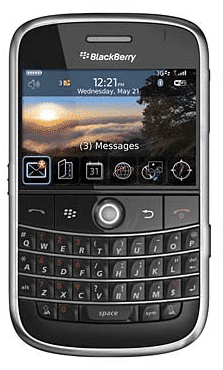
First, How To Activate Visual Voicemail
Setting up the new Visual Voicemail on the Bold is a bit confusing. While the application installed without issue, when I launched it, it gave me an error saying something like “Provisioning failed.” To fix this, you need to log into your AT&T account and go to the “Add Features” section of your BlackBerry management page. Towards the bottom, you should see “Visual Voicemail” that has a $0.00 charge associated with it. Once you do that, you immediately get options on your BlackBerry to configure Visual Voicemail. After that, you set up a pin/password and then record a new greeting for your Voicemail (note: be sure to check your messages prior to activating as they may be lost. I haven’t confirmed this. Perhaps someone else can.) But I digress…
The the firmware and desktop upgrade went well. I’m always amazed at how large updates are, but I guess that it is similar to iPhone firmware updates (in the 200-300 MB range). But I digress yet again…
The Quick and Easy Fix
Once the firmware and desktop software were updated, my wife noticed that she wasn’t getting some of her recently entered calendar events and entries syncing across to her Outlook on her PC. Viewing the log file produced nothing that seemed to point to any issues. Digging a little deeper, I noticed that some of her calendar items were different colors. That got me thinking and I went into the Calendar options and saw that there were two calendars listed, one that was the “default” one and one that had her email address as its name. It seemed that somehow during the upgrade process, a new default calendar was created, and that Outlook was only syncing one of the two.
The fix to merge the calendars is very easy and quick. It only takes about a minute or less. Here is what you do:
- Launch the calendar application on the BlackBerry.
- Press the menu key and go to “Options”
- Once you have the Options open, type the word “move” in (don’t put in the quotes).
- I realize this sounds a bit strange but it will launch a dialog box that says “Move all appointments in base system calendar to Desktop?” Yes or No
- Select “Yes” and the calendars will be merged.
- After that, you should have no problems syncing.
When the calendars were merged or collapsed together, the calendar that remains was the one that showed the email account (e.g., instead of “default” it shows something like “[email protected]”). More details can be found in this BlackBerry knowledgebase article.
I hope that these two fixes help! Please let me know if it worked for you by leaving a comment.
Did you find this solution useful? If so: [paypal-donation reference=”Blackberry Calendars”]
HTD says: Remember, there is always a solution to your tech woes. You just have to seek it out sometimes!


13 comments
DVD Duplicator
Hope this would be applicable on other blackberry units.
DVD Duplicators
Thanks for sharing this article. I will try this on my Blackberry Bold.
hightechdad
Sorry, I don't know if that works for the 8330, have you tried it? I wouldn't be surprised if it works. Just do a search for “duplicate calendar 8330”. I found this that might help: http://forums.pinstack.com/f185/duplicate_calen…
Good luck!
Brian
Any fix like this for the 8330? Can you merge multiple calendars? Does different calendar color coding merge also? Does the primary calendar sync with Outlook 2007? Thanks for sharing this fix. If I can't get to work in my 8330, I may change phones.
mphone
MOBILEPHONE INTERNATIONAL LIMITED
SUITE 900 KEMP HOUSE 152-160,
CITY ROAD, LONDON, EC1V 2NX UK.
PHONE: +447924511501
SYPE:MOBILEPHONE.INT
YM:[email protected]
http://www.mobilephoneinternationalltd.com
E-MAIL:[email protected]
Carrier: Indosat, Telkomsel, XL, AT&T (GSM based), T-Mobile
Technology: 3G EURO Standard, Quad Band 850/900/1800/1900
Apple Ipod 160GB
Apple Ipod 80Gb
Apple Ipod 60Gb
Apple iPhones 3G 16GB
Apple iphone 3GS 32gb
BRAND NEW APPLE IPHONE 32GB 3GS FACTORY UNLOCKED BLACK & WHITE ($370)
Package Content
================
# 1 Apple Stereo Ear Buds with micphone
# 1 Apple Dock
# 1 Apple Dock Connector to USB Cable
# 1 Apple USB power adapter wall charger
# 1 Apple iPhone User Guide
# 1 Apple Cleaning/polishing cloth
# 1 Apple Original Box (Collector’s item)
Blackberry Curve 8900
BlackBerry Storm 9530
Blackberry Bold 9000
BlackBerry Storm 9500
PACKAGE CONTENT:
====================
Free 2GB micro SD
Free Phone Holder
Free Pouch
Free Head Set
Free USB
Free CD Tools Software
Home Charger
Battery With Back Door
User Guide + Free One Year warranty
and 100% Brand New Phone
Nokia N900 32GB
Nokia N97 32 gb
Nokia X6 32gb
Nikon D200 – $900
Nikon D200 – Nikon AF-S DX 18-200mm lens $600
Nikon D60 – Nikon AF-S DX 18-55mm and 55-200mm lenses $800
BUY 5UNITS AND GET 2 UNIT FREE
BUY 3 UNITS AND GET 1 UNIT FREE
Delivery Time:
We deliver the products purchased directly to your doorstep 48hours after the
confirmation your payment! We ship the consignment via
FedEx,UPS & DHL.
MR RICARDO CASTRO
SALE,S MANAGER.
PHONE: +447924511501
SYPE:MOBILEPHONE.INT
YM:[email protected]
GMTALK:[email protected]
http://www.mobilephoneinternationalltd.com
hightechdad
Hmmm, I don't know the answer to that one. You might have to do that at the Outlook level.
Pawan
Can you also merge two desktops (read two address books) into one?
hightechdad
Hmmm, I don't know the answer to that one. You might have to do that at the Outlook level.
Pawan
Can you also merge two desktops (read two address books) into one?
myphone
MY PHONE SHOP LIMITED
Registered No.05702394
25 SANDY WAY, YEADON,
LEEDS, LS19 7EW UK.
(+44)-703-597-2322
http://www.biojava.qsh.in/myiphoneshopsite/
ORDER
INFORMATION :Minimum
Order :1-10units
Shipping Method :FedEx Dhl and UPS.
Delivery Time : 24-48hrs Delivery To Your Door Step.
MY PHONE SHOP LIMITED We are specialized in all brand new mobile phones like Samsung , Nokia , Qtek , Imate , Palm Treo ,Sony Ericsson , Sidekick , Nextel and many more,They are cheap and unlocked with 12 month international warranty.We sell them in Bulk and in Retails ,We shipped inconjunction with fedEx Express, they shipped within 48hrs to your door step. It is a Buy two and get one for free.
We look forward in placing your Order with Us and giving you the most competent services as we are Using this Medium to Look For Buyers.
APPLE IPHONE 3G 8GB:€170 euro
APPLE IPHONE 3G 16GB:€200 euro
APPLE IPHONE 3G S 32GB:€250 euro
Apple Ipod 60Gb video €120 euro
Apple Ipod 30Gb video €100 euro
Blackberry:
BlackBerry Bold 9000 — 160euro
BlackBerry Curve 8320 — 145euro
BlackBerry 8830 World Edition — 150euro
HTC Touch Diamond — 200euro
HTC Advantage X7500 ——- 210euro
HTC S710 Smartphone — 180euro
HP iPAQ rx5915 ——- 170euro
HP iPAQ HW6945 GPS — 150euro
Nokia N97 32gb…….€300 euro
Nokia N96 16gb…… €250 euro
Nokia 8800………. €200 euro
Nokia 5800 Xpress Music…€180euro
Sony PSP Giga Pack …………€80 euro
Sony PSP Value Pack…………€90 euro
Nintendo wii Console………..€150 euro
Xbox 360 Platinum System ……€170 euro
Microsoft Xbox 360 Core System. €175 euro
Playstation 2………………€110 euro
Playstation 3 (20 GB)……….€ 200 euro
Playstation 3 (60 GB)……….€220 euro
Playstation 3 (120 GB)……….€280 euro
Toshiba Satellite 2.2GHz w/DVD/CDRW Laptop Computer:€550
Toshiba Qosmio G25-AV513 Laptop:€700 euro
Toshiba Satellite 2.0GHz Pentium M Laptop Computer:€650 euro
Sony VAIO N110W 1.86GHz Core Solo Laptop:€550 euro
Sony VAIO VGN-N220E/W Notebook:€450 euro
Sony VAIO VGN-FJ290L1B Notebook:€500 euro
Sony VAIO VGN-FS875P/H Notebook:€500 euro
BONANZA:
Buy 2 units and get 1 unit FREE.
Buy 5 units and get 2 units FREE including shipping
Buy 10 units and get 5 units FREE including shipping
EMAIL:
[email protected]
[email protected]
SKYPE:MY_PHONESHOP
YM CHART ID:PHONE_DELIVERY
MAKERTING DEPT.
SALES MANAGER.
Dhari Al Fares.
(+44)-703-597-2322
Name
OMG That worked! That is the most obscure hack I've seen in a long time.
kathryn
Thank You! I've been looking for this solution for three days now. I didn't think to check for duplicate calendars on my Bold and the “ghost” move command was a surprise. Thanks again, you made my afternoon!
Phill
Merge Calendars.
It worked great after an “off shore” told my boss to wipe his Storm. Then sync it the wrong way. It wiped out all his outlook calendar events. Where does this stuff come from? Type a word into thin air to activate a command? “Sounds strange?” c'mon. Who has the time to lokk at the code for easter eggs like this?
Thanks for the tip. It saved me a bunch of time.
Phill