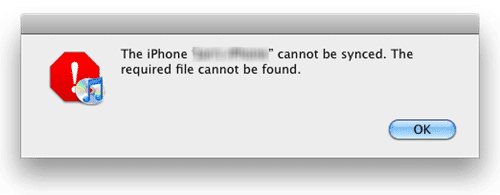
Every since I had to restore my iPhone 4 from a backup, I have been having a pesky error message popping up each and every time I would sync my iPhone with iTunes on my Mac. It cryptically said “The iPhone [insert your iPhone name here] cannot be synced. The required file cannot be found.” Nothing more. No error message to search for. Nada. A quick Google search on that error, however, produced some good results, and, in the end, fixed my issue, so I figured I would share and prevent future head-pounding-on-the-desks from others.
The fix is incredibly easy. Essentially, your Photo Cache may have become corrupted and you simply need to delete it.
Here are the steps (for the Mac – I’m not sure if this issue exists for Windows users):
- Close iPhoto on your Mac.
- In the Finder, go to your HOME folder.
- Open the PICTURES folder.
- Navigate to the file called “iPhoto Library“:

- Right-click on that file and choose “Show Package Contents“:

- Within the Package Contents folder, find and right-click on the file called “iPod Photo Cache” and select “Move to Trash“:

- Empty your Trash.
- Close the Package Contents folder.
- Re-sync your iPhone.
{ 42 comments }