
You are viewing the “office 2010” category
I hope you can find the content you want.
If you want something reviewed or written about, please get in touch with me!
-
How To Find Where Outlook Stores Temporary Attachments – Ones
Here's the scenario. You receive an email attachment in Microsoft Outlook. You open that attachment directly from the email message, make a bunch of edits (and perhaps save them along…

-
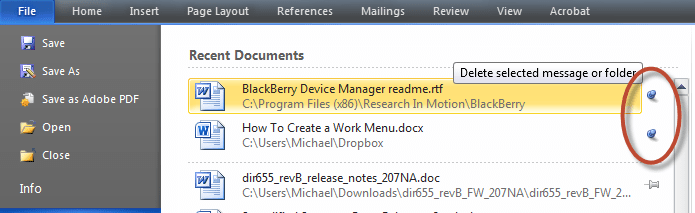
How To Create a “Work” Menu Like Office 2004/2008 in
While I truly like Microsoft Office 2011 for Mac (you can see my review of it here on the Microsoft Office for Mac Blog), there are some folks who have…
-
A Convergence of Offices – Office for Mac 2011 &
I must admit, I’ve been pretty lucky when it comes to getting early access to the latest versions of Microsoft Office. Earlier this year, I participated in a program set…

-
Microsoft Wants YOU to Test Out Office 2010 Beta on
A very cool program from Microsoft just came across my email and I thought that it was important to share with my readers. Essentially, with this program called the "Microsoft…

-
Tech News: Windows BSOD, Office 2010, YouTube Pay TV &
Looks like we all survived Cyber-Monday. Here's what got my attention this morning: Microsoft looking into Windows 'black screen of death' problem "Microsoft says it's looking into reports that its…


