
“How To” collection
Simplify your digital life with comprehensive step-by-step tutorials and instructional guides for modern technology. Learn how to optimize your software configurations, manage cloud services, and master new devices with these easy-to-follow technical walkthroughs.
HTD Tech Briefs
View all →December 4, 2012
7 Essential Windows Hotkey Keyboard Combinations You Should Know and Use
I'm all about working efficiently when I'm on my computers whether they are Macs or PCs. And, for some reason, I simply hate having to drag my mouse over to an application or button to do something that should be quick. Luckily, both Apple and Microsoft have built in a series of hotkey commands or keyboard commands to save you…
Read more →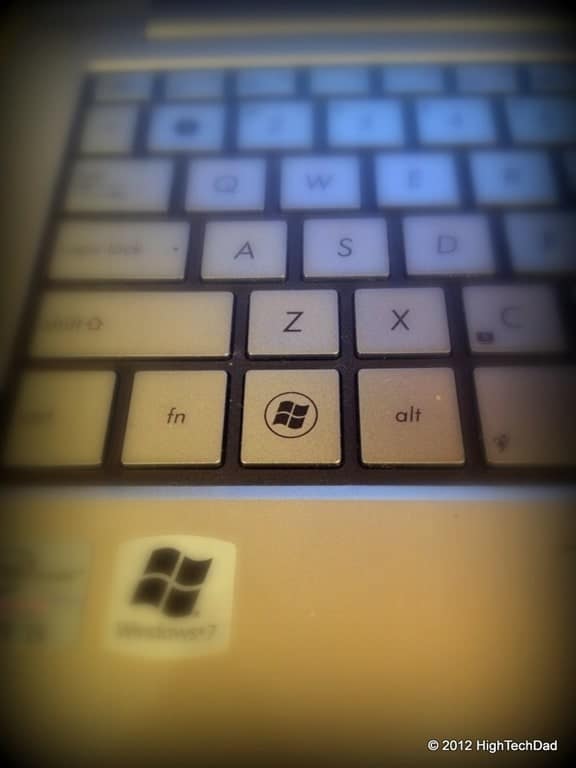
November 29, 2012
As a Blogger or Brand, Why is Continuity Important?
Having just completed my 7th year of blogging, I have learned quite a lot. What started for me as simply a way to both help people and provide insights on a variety of topics, now has become part of my life and my persona. As my website has matured, I have uncovered nuances and patterns along the way, but I…
Read more →
November 27, 2012
Klutz Teaches Kids About Basic Electronics While Setting Up Booby Traps Around the House
As part of my ongoing effort to remain as much like a child as possible, I was intrigued to set up some "Gotcha Gadgets" that would allow me to play 20 tricks on my kids. I wanted to set up trip alarms and motion sensors that would fart when someone opened a door, or set up a push-button applause machine…
Read more →
November 8, 2012
How To Find Where Outlook Stores Temporary Attachments – Ones that Don’t Appear in “Recent Items” in Microsoft Office
Here's the scenario. You receive an email attachment in Microsoft Outlook. You open that attachment directly from the email message, make a bunch of edits (and perhaps save them along the way) and close your Office document. Then a while later, you want to go back to that document, only to find that it does not appear in your "Recent"…
Read more →
October 17, 2012
Making Lemonade – In a Vacuum, Don’t Complain, Just Do!
We have all heard the old adage "When life gives you lemons, make lemonade" right? I think that more people should focus on creating success than dwelling on misfortune. In the age of entrepreneurship where anybody can take even a mediocre idea and just run with it, we need to learn to turn a deficiency into an opportunity. Over the…
Read more →
October 11, 2012
How to Easily Edit Hosts Files on Mac & PC using Free Editors: Gas Mask (Mac) or HostsMan (PC)
If you have ever come across a situation where you need to edit your Hosts file on your Mac or PC, I'm sure that you have discovered that it is a bit of a pain. For starters, on either platform, you need to have elevated privileges, namely that of the administrator. Then you have to actually get to the Hosts…
Read more →
September 14, 2012
7 Unique Ways my Kids Use the iPhone
The Apple iPhone is a necessity in our household, at least my kids tell me it is. It seems that the iPhone is practically grafted to the hands of my children as they walk around the house. I almost think that they are going to grow another appendage for them to simply carry it and use their other two hands…
Read more →
August 30, 2012
10 Tips on How to Avoid Losing your Digital Identity
Our society is made up of all types of information. And the amount of "stuff" that is known about us is growing as speeds never before seen. Think back 50 or 100 years. What identified a person? Their names, their ancestry, their address and their bank. Eventually phone numbers and a few other bits of personally identifiable information made it…
Read more →
July 28, 2012
Phishing for Your Olympic Spirit – Buyer Beware!
With the Olympics right around the corner, the last thing that you want to think about is security. Well, let me rephrase that, there is plenty of security at the Olympics itself and I'm one of many who sincerely hopes that the 2012 Olympics in London goes smoothly and safely. Go Team USA! But, if you are traveling or thinking…
Read more →
July 25, 2012
How To Create a Bootable Mountain Lion (OS X 10.8) Installation DVD or USB Drive [Updated]
As many people know, Apple's new Operating System, OS 10.8 - a.k.a. "Mountain Lion," is officially available for purchase and download. Just head over to the Apple App Store on your supported Mac and purchase and install Mountain Lion now! As part of the upgrade process, your Emergency Recovery Boot Partition will be upgraded to support re-installs of Mountain Lion…
Read more →
July 13, 2012
How to Use Olympic Gymnastics Scoring to Get Your Kids to do their Chores
There is a lot of excitement in my house with the coming 2012 Olympics in London, mainly because my 10-year-old daughter is a competitive gymnast. We watched the women's gymnastics trials a few weeks ago, and my daughter has some clear favorites and has been critiquing how each of the gymnasts are doing. But as we sat around watching the…
Read more →
June 28, 2012
How To Set the Default Address Book in Microsoft Outlook 2010
I recently got a new computer at my work and got Microsoft Outlook 2010 installed on it. However, I kept running into problems as I was trying to send emails to people within my organization. I would type in their name and Outlook wouldn't find it. I would then click the "To:" button and no names would show. This is…
Read more →


