

Active
Wordpress plugin
Free, One-time purchase
CandorBrief
Clear, privacy-aware professional profiles for better recruiting and hiring conversations
Version: 0.1.63 • Updated: Sep 26, 2026
Get CandorBrief!
Summary
CandorBrief is a WordPress plugin with two audiences. For a professional, it turns Resume/CV information into a structured public Brief with item-level privacy controls, where nothing is visible until the professional approves it. For a hiring manager or recruiter, it provides a library of 40 pre-written prompts for evaluating that background in more depth than a resume allows. CandorBrief runs no AI inside WordPress. Visitors review the full prompt text, then copy it into the AI tool of their choice.
What it does
CandorBrief is a WordPress plugin built for two people: professionals who want to control how their background is shared, and hiring managers or recruiters who want a better way to evaluate someone before a call.
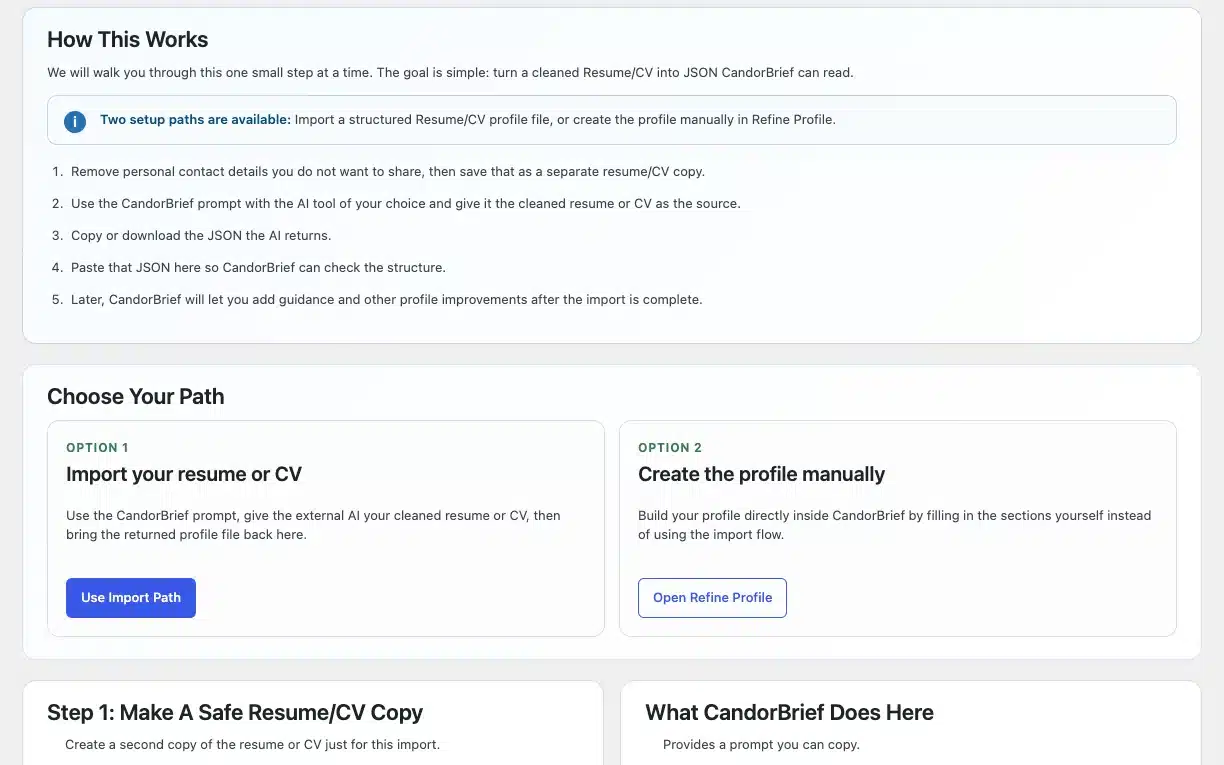
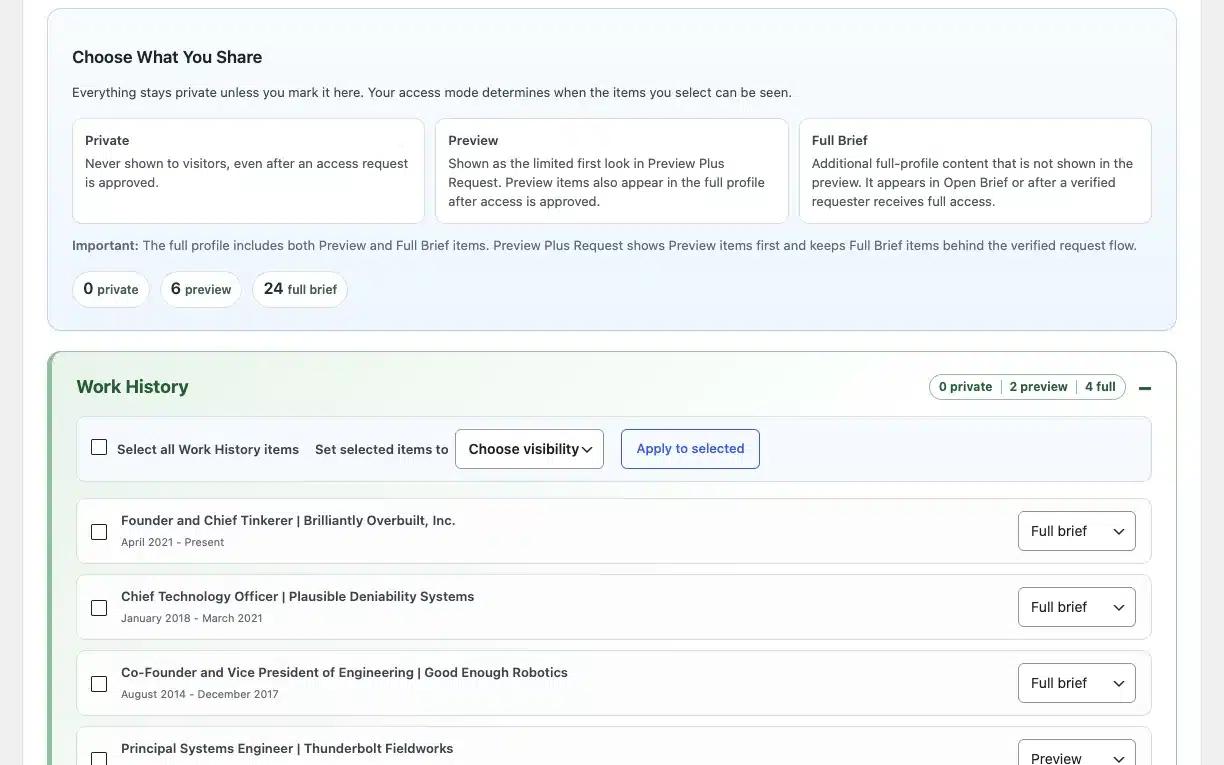
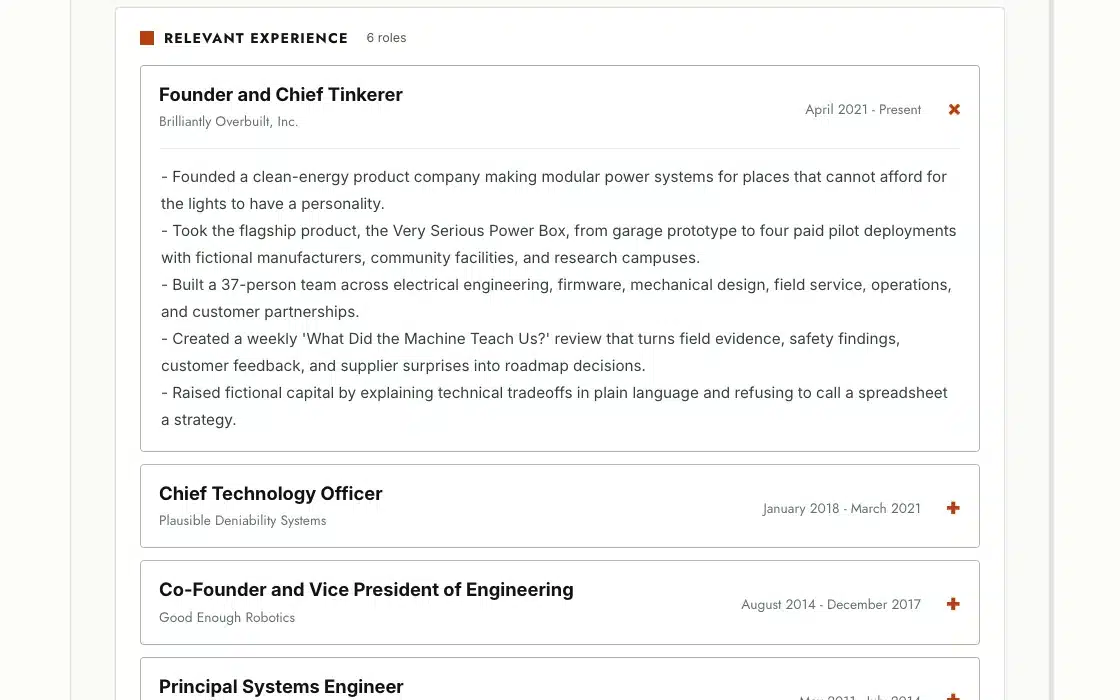
For the professional, it starts with a guided import flow. They remove personal details from their Resume/CV, run it through a prompt that CandorBrief supplies in their own AI tool, then paste or upload the returned JSON back into WordPress. From there, they decide what is public. Each Resume/CV item, including work history, skills, capabilities, education, projects, and certifications, has a three-way visibility setting of Private, Preview, or Full Brief. Professional Links each have a separate public/private toggle. Guidance notes are never shown as public text. A guidance note is added only as background context inside a generated prompt, and only when its section is already public. Nothing is public until the professional makes it so.
The professional also sets how visitors reach the Brief. There are five access modes. Open Brief shows the Brief right away. Preview Plus Request shows a limited preview and then asks for an email-verified request before revealing the rest. Request-Only shows a branded “profile available” state with no evidence until the professional approves the visitor. Protected Brief uses private invitation links that the professional can revoke at any time. Private keeps everything hidden. A separate Hired status pauses a Brief with a short announcement and leaves the underlying settings untouched.
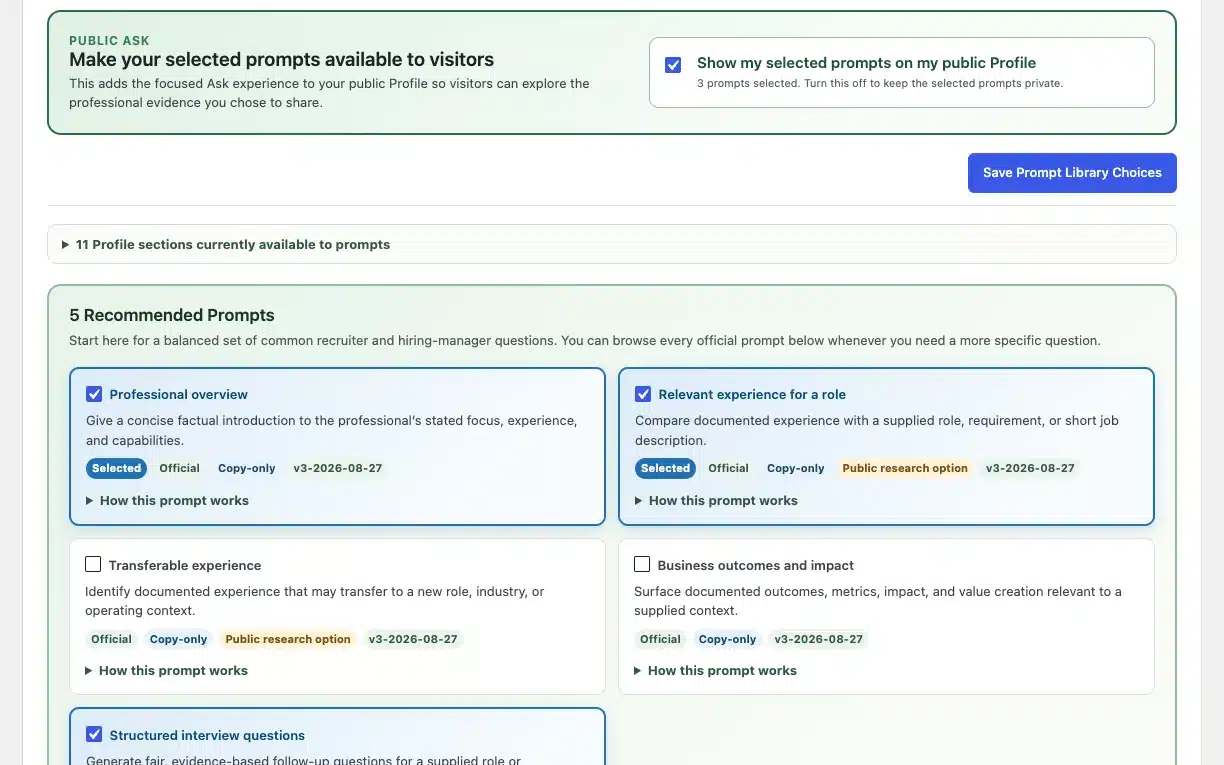
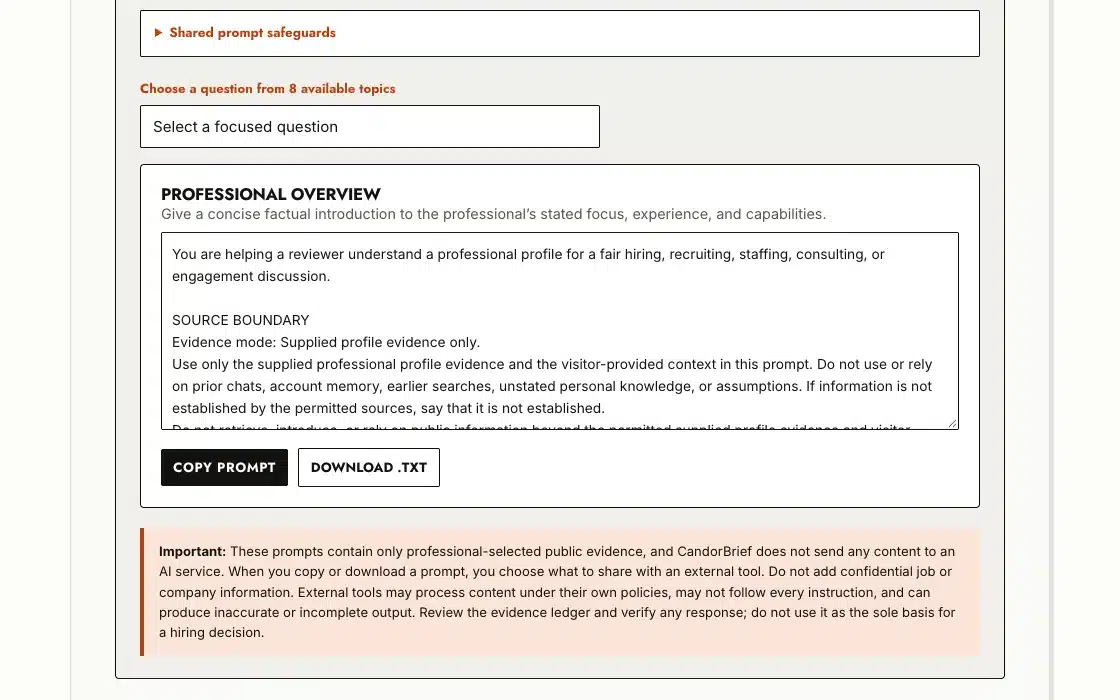
A visiting hiring manager or recruiter gets more than a page to read. The professional chooses which prompts to publish from a library of 40 pre-written hiring-manager prompts, grouped into eight purposes, from a plain professional overview to role-fit mapping, work-example evidence, leadership and operations, strategy, executive and fractional work, and structured evaluation. The visitor picks a prompt and adds their own context, such as a job requirement or a specific responsibility to check. CandorBrief then assembles a detailed, bounded prompt from only the evidence the professional approved. Every prompt carries the same fixed safeguards. It tells the external AI to use only the supplied evidence, to ignore its own prior chats and memory, and to open every answer with an evidence ledger. CandorBrief shows the complete prompt text before the visitor copies it. The visitor runs it in whatever AI tool they use and gets a focused answer grounded in the shared evidence. No AI runs inside WordPress, and nothing about the prompt is hidden.
Both editions are available. Free includes one complete professional profile, all visibility and access controls, email-verified contact and access requests, Protected Brief invitations, and the full 40-prompt library, with up to three prompts public at once. A workspace dashboard gives high-level counts for profiles, visibility, access modes, and requests waiting for review, and each Protected Brief invitation shows whether its link has been opened. Pro keeps everything in Free and adds up to five more profile variations. Each variation has its own URL and shortcode, access mode, visibility choices, and prompt selection, with no cap on how many prompts can be public. Pro also adds a private workspace for organizing the variations.
Why I built it
In early 2026, I was laid off and ran into the hiring frustrations many people know: applications that disappear, systems that reduce a career to keywords, and a process where everyone starts to look the same on paper. I built CandorBrief for myself first, to share my professional experience without handing over control of my story. Then I made a completely free version, because job searching is hard enough without another required subscription or an AI API key. Read the full story on candorbrief.com
Get CandorBrief
Free
$0.00
One complete professional profile, all visibility and access controls, and the 40-prompt library (up to three public)
Get CandorBrief FreePro
$34.99
Everything in Free, plus up to five more profile variations and no cap on public prompts
Upgrade to CandorBrief ProQuick Facts
Pricing: Free, One-time purchase
Version: 0.1.63
Last updated: September 26, 2026
Launched: August 20, 2026
Custom development
Want me to build something for you?
I build WordPress plugins, Mac apps, and custom tools, usually because I needed one and couldn't find it. If you have a workflow that needs fixing, a plugin you wish existed, or an app idea you want built, tell me what you're trying to do, and I'll tell you what it would take.
More HighTechDad Products

Beta
AI Launcher
Launch context-aware prompts into public AI assistants from your WordPress site
Learn more →

Beta
QuoteKit
Quote, bid, and pricing proposal workflows for WordPress
Learn more →

Beta
AIVA — AI Visibility Analyst
Find Out Why AI Skips Your Website
Learn more →

Active
AppAudit
Know what is installed on your Mac
Learn more →