
“iOS” collection
Master the features and functionality of the mobile operating system that powers the iPhone (iOS) and iPad (iPadOS). This collection offers step-by-step instructions for Apple software updates, security settings, and hidden features to optimize your mobile experience.
HTD Tech Briefs
View all →March 2, 2015
iPhone 6S & 6S Plus Rumor Round-up
Curious about what the Apple iPhone 6S or iPhone 6S Plus features may be? Here's a round up!
Read more →
November 22, 2014
10 Tips for iPhone 6 and 6 Plus Users
When Apple releases new hardware and software, often times some of the newer features go un-noticed. People are generally used to doing things their own way…which is usually the “old” way. With the introduction of the iPhone 6 and 6 Plus recently, new chips and screen sizes have enabled new features for those lucky owners of the new iOS large…
Read more →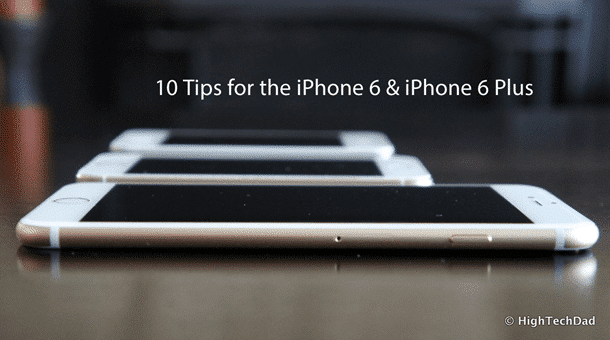
September 18, 2014
The Best Way to Install iOS 8 & Not Delete Apps & Data
Apple's iOS 8 has been released and people are complaining that they have to delete applications and/or data and media in order to install the new mobile operating system. This is true if you do an OTA (Over The Air) update. Sometimes, even connecting to iTunes on your computer and trying to do the upgrade there prevents you from doing…
Read more →
September 17, 2014
Direct Download Links for Apple iOS 8 & Prep and Install Tips [UPDATED]
Apple's newest version of their operating system (Apple iOS 8) for iPhones and iPads is now available. There are a few ways that you can update. You can plug your compatible iOS device (iPhone 4S and newer, iPod Touch 5th gen or iPad 2 or newer) into your computer and connect with iTunes and do the upgrade that way, you…
Read more →
September 11, 2014
How to Turn Off Facebook’s Auto-Play Videos & Save Data
If you are anything like me, you watch your cell phone's data consumption very closely. And given that I have 4 other people on my family shared plan (3 of them being teens & almost a teen), there are some apps that simply gulp down data. Tweens and teens absolutely LOVE image and video apps (think Instagram, Vine, SnapChat and…
Read more →
May 20, 2014
Less “Stranger Danger” – Kik Messenger Updates App Over Privacy Concerns
Back in mid-2012, I wrote an article about the "dangerous" combination of Kik Messenger and Instagram. The article turned out to be quite popular (and controversial) in a few ways. Parents didn't know about Kik nor how the "Kik me at" functionality was working with Instagram. Over 2 years later, Kik Messenger has taken a new approach to privacy and…
Read more →
December 31, 2013
iGear Unlimited Flip Turn Case & Keyboard: Make your iPad Mini a Mini Computer
I always recommend getting a case for your tablet or smartphone. It's important to protect your investment. Sometimes, however, a case can go beyond providing simple protection, it can give utility as well. The iGear Unlimited has a very useful protective case that actually has multiple functions, starting with a Bluetooth keyboard. The iGear Unlimited Flip Turn Case is designed…
Read more →
October 29, 2013
How To Use the eBay Simple Flow Interface to Easily Sell your Old Tablet
One of the big problems about being addicted to gadgets and consumer electronic devices is that you always want the latest and greatest "bright & shiny" device. When that desire hits you, suddenly, you are faced with two issues: 1) how do you find funds to get a new device and 2) how do you easily sell your old device…
Read more →
October 7, 2013
Which Apple ID to use for iTunes App Store, iMessage, iCloud and Find My iPhone
Apple's iOS 7 introduced some confusion when it comes to Apple IDs. But the change was intentional because Apple's desire was to make iOS much more secure. As part of the upgrade process, iPhone and iPad users are required to set up an iCloud account and associate it with Find my iPhone. This process will (hopefully) cause the number of…
Read more →
September 18, 2013
Direct Download iOS 7 Final IPSW Links for Latest iPhone, iPad & iPod Touch
The day has finally arrived! Apple's latest mobile operating system, iOS 7, is now available. Most people can simply connect their iOS device to the latest version of iTunes (be sure to download version 11.1 which is now available as well), update your apps, do a sync, make a backup and THEN install iOS 7. For those people who were…
Read more →
September 10, 2013
12 Useful iOS 7 Tricks To Know
With Apple's new iOS 7 for iPhone and iPad GM (Golden Master) now available to developers and the release to the general public just around the corner, I wanted to share 12 useful iOS 7 tricks that you probably want to know. I have been reading public information about iOS 7 as well as using the developer beta for a…
Read more →
June 24, 2013
Wirelessly Control & Shoot your Canon or Nikon DSLR Remotely – iUSBportCamera Review
It seems like everyone is becoming a "professional" photographer, especially now that the technology-to-price ratio of DSLR cameras is getting truly amazing. While taking a photo really depends though on the mind's eye, the technology of the camera as a tool to capture that moment in time has made those moments even better. And there are accessories now for your…
Read more →


