
“Tech Companies” collection
Follow the innovations and strategic directions of the giants that define our digital world, including Apple, Microsoft, Google, and more. This section offers an expert look at the product ecosystems and corporate shifts of the world’s leading technology brands.
HTD Tech Briefs
View all →December 22, 2014
How To Replace a MacBook Pro Keyboard after a Liquid Spill
Liquid and laptop keyboards are not a match made in heaven in any way. In fact, if you don’t act quickly, a liquid spill will fry out the circuitry in your laptop very quickly. I recently received a mid-2012 MacBook Pro (MBP) 15” with Retina display from a family member who spilled some coffee on it. A row of keys…
Read more →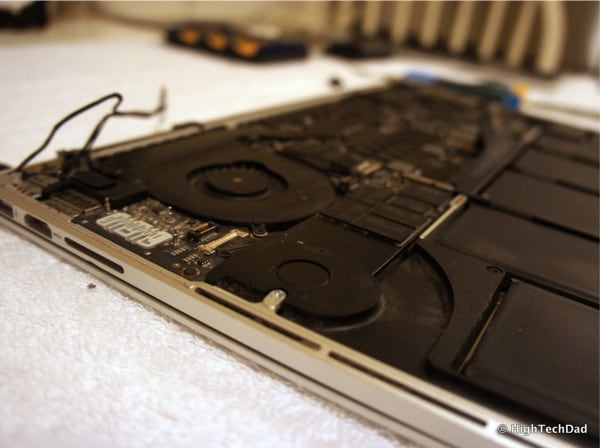
November 24, 2014
How to Fix Mac Office 2011 Crashing in Yosemite [UPDATED X3]
Recently, my version of Office for Mac (Office 2011), started crashing on my MacBook Pro. Every time I launched Word, Excel or PowerPoint, the app would crash after a few seconds with an error asking if I wanted to recover my work, reopen the Office app and send the error to Microsoft. It didn’t matter if I opened a document…
Read more →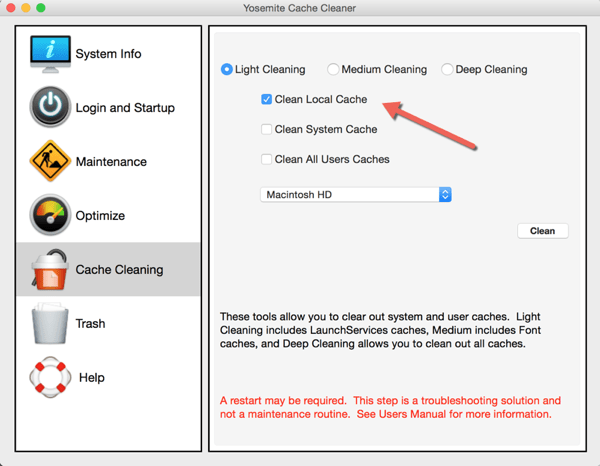
November 22, 2014
10 Tips for iPhone 6 and 6 Plus Users
When Apple releases new hardware and software, often times some of the newer features go un-noticed. People are generally used to doing things their own way…which is usually the “old” way. With the introduction of the iPhone 6 and 6 Plus recently, new chips and screen sizes have enabled new features for those lucky owners of the new iOS large…
Read more →
October 23, 2014
13 Tips to Optimize Your Mac After Yosemite Installation [UPDATED]
As most of us know, Apple's latest operating system Yosemite (10.10), a free upgrade from Apple, is now available. And with it come a lot of nice new features, visuals and enhancements. But, as with any upgrade, there is always the possibility of having issues. While I had been running the Developer Preview on my MacBook Air and had not…
Read more →
September 30, 2014
How to Fix iTunes Error 1723 When Syncing iPhone or iPad
I stumbled across an error when I was syncing my Apple iPhone 5S running on Apple's iOS 8 with iTunes on my Mac. It was an iTunes Error 1723. Apple errors are always a bit cryptic and sometimes require you to do some searching to find a solution. So, hopefully you found this article while searching for "how to fix…
Read more →
September 18, 2014
The Best Way to Install iOS 8 & Not Delete Apps & Data
Apple's iOS 8 has been released and people are complaining that they have to delete applications and/or data and media in order to install the new mobile operating system. This is true if you do an OTA (Over The Air) update. Sometimes, even connecting to iTunes on your computer and trying to do the upgrade there prevents you from doing…
Read more →
September 17, 2014
Direct Download Links for Apple iOS 8 & Prep and Install Tips [UPDATED]
Apple's newest version of their operating system (Apple iOS 8) for iPhones and iPads is now available. There are a few ways that you can update. You can plug your compatible iOS device (iPhone 4S and newer, iPod Touch 5th gen or iPad 2 or newer) into your computer and connect with iTunes and do the upgrade that way, you…
Read more →
September 11, 2014
How to Turn Off Facebook’s Auto-Play Videos & Save Data
If you are anything like me, you watch your cell phone's data consumption very closely. And given that I have 4 other people on my family shared plan (3 of them being teens & almost a teen), there are some apps that simply gulp down data. Tweens and teens absolutely LOVE image and video apps (think Instagram, Vine, SnapChat and…
Read more →
September 3, 2014
How To Change the Default Browser on Mac with Chrome Canary and Chrome
Google recently released a 64-bit version of its browser, Chrome Canary. If you want what Google calls "the bleeding edge of the web" type of browser, you can download and install Google Chrome Canary for Mac (or Windows). It has the latest features and is targeted towards early adopters, developers and the like. I had been using the beta channel…
Read more →
June 5, 2014
Evolving & Revolving the iPad’s Usefulness – iGear iPad Flip Turn Case Review
We all know how useful Apple's iPad Air is. It's great at work, in the home and on the go. So is it possible to extend the iPad's utilitarian and multi-use functionality? Of course. One way is to get a case that builds in additional functions. Last year, I talked about iGear's Flip Turn Case and Keyboard for the iPad…
Read more →
May 20, 2014
Less “Stranger Danger” – Kik Messenger Updates App Over Privacy Concerns
Back in mid-2012, I wrote an article about the "dangerous" combination of Kik Messenger and Instagram. The article turned out to be quite popular (and controversial) in a few ways. Parents didn't know about Kik nor how the "Kik me at" functionality was working with Instagram. Over 2 years later, Kik Messenger has taken a new approach to privacy and…
Read more →
April 25, 2014
A Simple Search Can Get You Rewards…Bing Rewards
How many times do you do an Internet search a day? Once? Ten times? Fifty? I probably am more in the higher end of this number count. With the luxury of Internet searches at our fingertips, we also have access to unlimited sources of information and entertainment. So while we essentially have a living encyclopedia at our beck and call,…
Read more →


