
“Fix It” collection
Master the art of household maintenance with practical DIY repair guides for appliances, electronics, and software systems. These tutorials focus on cost-saving troubleshooting techniques and hands-on solutions to keep your home and gadgets running at peak performance.
HTD Tech Briefs
View all →February 5, 2013
How To Change Your iOS Device’s Root & Mobile User Password After Jailbreak and OpenSSH Install
As many of you may know, the latest untethered jailbreak tool for iOS called Envisi0n was released to the general public yesterday (2/4/13). As a consequence, the Cydia installer which manages all of the repositories for 3rd party app that you can install on your jailbroken iOS device was pretty much hammered. Things are coming back to normal now (but…
Read more →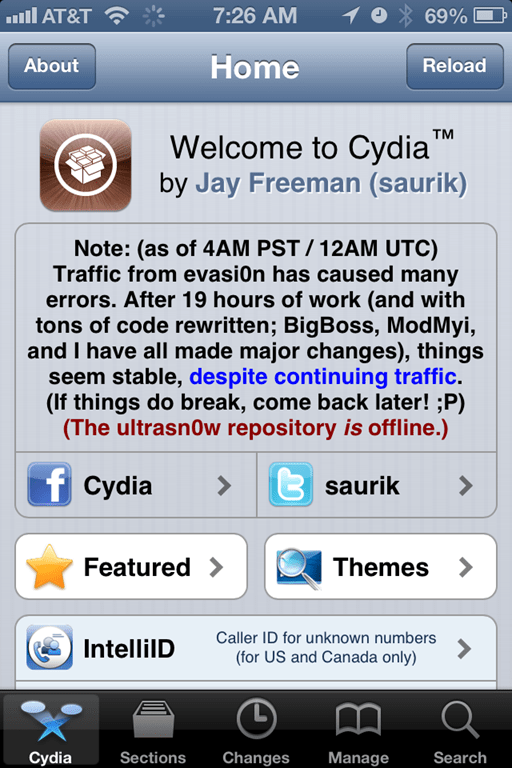
January 11, 2013
How To Disable Java in Chrome, Firefox, Safari & Internet Explorer on Mac OS or Windows to Prevent 0-Day Exploit
If you have been reading any of the Technical publications online, you will probably know that there is currently an exploit in Java that affects most internet browsers like Chrome, Firefox, Safari and Internet Explorer on systems that have Java installed. This is being called a zero-day or 0-day exploit which essentially means that there is a security vulnerability in…
Read more →
January 10, 2013
A New Respect for Plumbers, Learning from Trade Professionals and The Zen of Snaking Out a Sewage Line
I have a bit of a "crappy" story to tell. Literally. And it doesn't have to do with technology, it involves sewage. I believe that the house that I own has plumbing possessed by Mother Nature. Ever since we have owned our home, there is an annual tradition (sometimes more than once a year) where we have to call out…
Read more →
January 9, 2013
iOS Apps & Backups are Hogging Up Your Hard Drive – How To Easily Free Up Disk Space
I don't know about you but I am always looking for ways to clear up my laptop's precious free hard drive space. I have tools that clean caches, temporary files, language files, logs and files in my trash. But I never seem to get ahead of the game. I probably never will but a periodic cleaning is always an important…
Read more →
December 5, 2012
Honeywell’s WiFi-Enabled Thermostat is Hot, Cool, Controlled Remotely & Easy to Install
Here is the scenario. It's the early morning in the winter. You are snuggled warm in your bed but outside of the comfort of your blankets, your house is cold. The last thing you want to do it to have to get out of bed and turn on the thermostat to heat the house. So you just hope for someone…
Read more →
December 4, 2012
7 Essential Windows Hotkey Keyboard Combinations You Should Know and Use
I'm all about working efficiently when I'm on my computers whether they are Macs or PCs. And, for some reason, I simply hate having to drag my mouse over to an application or button to do something that should be quick. Luckily, both Apple and Microsoft have built in a series of hotkey commands or keyboard commands to save you…
Read more →
November 8, 2012
How To Find Where Outlook Stores Temporary Attachments – Ones that Don’t Appear in “Recent Items” in Microsoft Office
Here's the scenario. You receive an email attachment in Microsoft Outlook. You open that attachment directly from the email message, make a bunch of edits (and perhaps save them along the way) and close your Office document. Then a while later, you want to go back to that document, only to find that it does not appear in your "Recent"…
Read more →
October 11, 2012
How to Easily Edit Hosts Files on Mac & PC using Free Editors: Gas Mask (Mac) or HostsMan (PC)
If you have ever come across a situation where you need to edit your Hosts file on your Mac or PC, I'm sure that you have discovered that it is a bit of a pain. For starters, on either platform, you need to have elevated privileges, namely that of the administrator. Then you have to actually get to the Hosts…
Read more →
June 28, 2012
How To Set the Default Address Book in Microsoft Outlook 2010
I recently got a new computer at my work and got Microsoft Outlook 2010 installed on it. However, I kept running into problems as I was trying to send emails to people within my organization. I would type in their name and Outlook wouldn't find it. I would then click the "To:" button and no names would show. This is…
Read more →
May 4, 2012
How To Create a “Work” Menu Like Office 2004/2008 in Microsoft Word 2011 for Mac
While I truly like Microsoft Office 2011 for Mac (you can see my review of it here on the Microsoft Office for Mac Blog), there are some folks who have complained about a feature being removed from previous versions, specifically, the “Work” menu that was present in previous versions of Word in Office for Mac (2004 & 2008). Personally, I…
Read more →
April 24, 2012
Get Those Cleaning Supplies Out & Roll Up Your Sleeves – How to Clean Your Digital Home!
It's Springtime! Leaves are appearing on the trees, the sun is starting to gain dominance over the rain, and my eyes are teary, not only from the pollen in the air, but also from the fact that I need to start doing my spring cleaning around the house! It's time to put away the winter clothes, coats and blankets, throw…
Read more →
April 23, 2012
How To Fix Adobe Fireworks Hanging After Launch on MacOS
Adobe Fireworks is the lifeblood of many web developers, artists and bloggers so when it stops running, I envision all of these groups running around like chickens with their heads cut off. Recently, I ran into an issue where when I launched Fireworks, it would run through the splash screen, loading extensions and the like but then hang, once it…
Read more →


