

I once watched a very expensive gaming laptop take about five minutes to answer a single question. The laptop was fine. I had picked the wrong AI model for it, which is a bit like asking a minivan to tow a boat that outweighs the minivan.
That experience is why I wrote this guide. If you want to run AI on your own laptop instead of in the cloud, the question that matters most is not how many TOPS (I’ll explain what that is shortly) the spec sheet brags about. It is whether the AI model fits in your laptop’s memory.
In this article:
- I explain the AI laptop terms you will run into, in plain English.
- I give you a simple formula for checking whether an AI model will fit in your laptop’s memory, plus a cheat code that lets an AI do the math for you.
- I explain the difference between VRAM and unified memory, and why the MSI Prestige N16 Flip AI+ works differently from the other two.
- I put the specs for all three laptops in one table so you can compare them side by side.
- I cover who the MSI Raider 16 Max HX, MSI Stealth 16 AI+, and MSI Prestige N16 Flip AI+ each fit best.
- I help you decide which one to buy, and I answer the questions I expect readers to ask.

If I were buying one of these three today, I might buy the MSI Raider 16 Max HX, because it is the fastest local AI I have measured, as long as the model fits in its 12GB of VRAM. The MSI Stealth 16 AI+ is better for carrying around all day, and the MSI Prestige N16 Flip AI+ has the most memory of the three in a thin 2-in-1 that flips into a tablet. MSI built the N16 around its RTX Spark platform, and it’s the one that intrigues me the most. If I had an unlimited bankroll, I’d get it. I haven’t tested it, so its speed is unproven.
MSI sponsored this article. I tested the Raider 16 Max HX and the Stealth 16 AI+ and wrote about them in my Raider review and Stealth review. I have not tested the Prestige N16 Flip AI+, and my familiarity with the form factor comes from my Prestige 14 Flip review. My local AI numbers come from my own non-scientific tests.
Table of Contents
What do AI laptop terms mean on the MSI Raider 16 Max HX, Stealth 16 AI+, and Prestige N16 Flip AI+?
AI marketing is full of terms that sound like they were invented to make you feel behind. I’ve been doing this a while, and I still stop and think about a few of them. So, before I get to the laptops, here is a short glossary.

Each term has a technical definition, followed by what it really means in plain English. I put them in a deliberate order, so each term builds on the ones before it. If you already know them, skip ahead to the sizing formula. I won’t know if you skim, and I won’t hold it against you.
Local AI (or local LLM)
A large language model (LLM), the kind of AI behind chatbots such as ChatGPT or Claude, but that runs on your own computer instead of on a company’s servers or public AI services.
What it REALLY means: The AI lives on your laptop. It works without an internet connection (apart from downloading models or apps like LM Studio), and your prompts and documents stay with you, locally on your computer. It’s the difference between cooking at home and ordering delivery: at home, you’re in charge of the kitchen, but you also have to own the pots and pans.
Model
The trained AI itself, packaged as a file you can download.
What it REALLY means: The thing you download and run. Models come in different sizes, and size is the whole story in this guide.
Parameters (7B, 14B, 27B)
Numbers inside a model that were adjusted during training, counted in billions. A 14B model has roughly 14 billion of them.
What it REALLY means: A rough measure of how big the model is. More parameters usually mean a more capable model, and a hungrier one, like how a bigger dog is more impressive and eats more.
Quantization (Q4_K_M)
A way of compressing a model by storing its numbers with fewer bits of detail. Labels like Q4_K_M describe how much compression was used.
What it REALLY means: Zipping the file, except the AI still works while it’s zipped. You give up a little quality and get a much smaller file. Q4_K_M is a popular middle ground, and it is the one I use for the sizing math in this guide.
Token
The small chunk of text a model works with. A token can be a whole word or a piece of one. Computers can’t read words, so each token becomes a number, and the model predicts the next token, one at a time, based on the sequence of numbers that came before it.
What it REALLY means: Your laptop doesn’t read your question the way you do. It turns it into a long string of numbers, then plays an extremely educated game of “what comes next?” over and over. It’s “autocomplete” that went to graduate school.
Tokens per second
How many tokens a model produces every second.
What it REALLY means: The speed of the AI’s typing. In my testing, 39.78 tokens per second felt like a good conversation, and 5.29 tokens per second felt like waiting for a fax.
Context window
The amount of text, measured in tokens, that a model can hold in mind at one time, including your question and the answer it has written so far.
What it REALLY means: The model’s short-term memory. Longer conversations and bigger documents need more of it, and it uses real memory, so it is part of the sizing math.
CPU
Central Processing Unit. The main processor in your computer, built to handle many kinds of jobs, one after another, very quickly.
What it REALLY means: The general manager. It can do almost anything, but it isn’t built to do thousands of small things all at once.
GPU
Graphics Processing Unit. A processor with thousands of tiny cores that can run many calculations at the same time.
What it REALLY means: GPUs were originally built to draw video game graphics. It turned out that AI is mostly enormous piles of simple math, and a GPU is great at doing a whole pile at once. A CPU works through the pile with one shovel. A GPU uses a thousand tiny shovels. That is a big reason NVIDIA became a household name in AI, and it is why the GPU does the heavy lifting for local AI.
RAM (system memory)
Random Access Memory. The memory your CPU uses for whatever it is working on right now.
What it REALLY means: RAM is where your computer keeps everything it is working on right now, which is why more RAM lets you keep more apps and browser tabs open at once. Picture it as the CPU’s classroom: roomy, but not where a GPU does its best work. It’s also where an AI model ends up if it doesn’t fit in the GPU’s own faster memory (called VRAM, which is next), and that usually means a slowdown.
VRAM
Video RAM. Fast memory built onto a graphics card, used by the GPU.
What it REALLY means: The GPU’s private classroom. If the whole AI model fits inside, class runs at full speed. If it doesn’t, part of the class has to sit down the hallway, and everything slows down.
Unified memory
One pool of memory shared by the CPU and the GPU, usually on a single chip (a system on a chip, or SoC).
What it REALLY means: One big lecture hall instead of two classrooms. Nobody walks down the hallway to share notes, and the model can use a big share of the room. The catch is that the CPU and GPU have to share it.
NPU
Neural Processing Unit. A part of the processor designed for AI math that uses very little power.
What it REALLY means: A small specialist built into the chip. In my Raider testing, the NPU sat at 0 percent while the GPU did all the work for LM Studio, so don’t assume an NPU is what runs a local chatbot.
TOPS
Tera Operations Per Second, or trillions of operations per second. Chipmakers use it to rate how fast an NPU can crunch AI math.
What it REALLY means: The horsepower number on the spec sheet. It sounds impressive, but a bigger number doesn’t guarantee your chatbot answers faster. Windows Central makes the same point: TOPS doesn’t tell the whole story. The Core Ultra 9 386H NPU in the Stealth I tested is rated at 50 TOPS, and what mattered when I ran models was whether the model fit in memory.
MSI AI Engine
An MSI Center feature that adjusts performance, cooling, and power automatically, based on what the laptop is doing.
What it REALLY means: It manages the laptop. It’s not the chatbot you talk to. I think of it as a traffic cop for performance, while the AI model is the one doing the talking.
If I had to pick one number to ignore on the spec sheet, it would be TOPS. On the Stealth 16 AI+ I tested, a model too big for the 8GB of VRAM ran slowly, the fans got loud, and no TOPS rating warned me. A little math would have.
So, let’s do the math. I promise it’s gentler than it sounds.
How much memory does a local AI model need? A sizing formula for the MSI Raider 16 Max HX, Stealth 16 AI+, and Prestige N16 Flip AI+
| Warning: Super complicated math work ahead, which may go beyond your math education. (It’s multiplication. I’m kidding. Mostly.) If your last math class was a long time ago, grab your phone’s calculator. Or skip down to my cheat code, which lets an AI do the math for you. |
Here is the one rule that matters: the AI model must fit in your laptop’s fast memory, with a little room to spare. “Fast memory” means the memory your AI chip can reach at full speed. On the MSI Raider 16 Max HX and MSI Stealth 16 AI+, that is the graphics card’s VRAM. On the MSI Prestige N16 Flip AI+, it is the portion of the shared memory pool you assign to the GPU in the NVIDIA App, which MSI says can be up to 96GB on the 128GB model.

If the model fits, it runs fast. If it doesn’t, the extra spills over into slower system memory, and every answer has to wait on it. Think of a class that doesn’t fit in the classroom: some of the students are sitting down the hall, and the lesson only moves as fast as the farthest desk.
Formula 1: the three steps
- Find the model’s file size. A good estimate is about 0.6GB for every billion parameters, using the Q4_K_M compression I described earlier. A 14B model should come out to about 8.4GB. The real file, listed on Hugging Face, is 9GB, which is close enough to trust the shortcut.
- Add some elbow room. The model needs space beyond its own file for the context window (its short-term memory) and a bit of overhead. Multiply your answer by 1.2. That 9GB file becomes about 10.8GB.
- Compare. If that number is at or below your fast memory, you’re in good shape. A 10.8GB job fits on a graphics card with 12GB of VRAM, with a little to spare.
Formula 2: the napkin version
If three steps still feel like homework, here is the shortcut you can use for a quick check. Take the number in front of the B and multiply it by 0.7. That is roughly how many gigabytes of memory the model needs. A 14B model needs about 10GB (14 × 0.7 = 9.8).
You can also work backward. Take your fast memory in gigabytes and multiply it by 1.4. That is roughly the biggest model, in billions of parameters, that you can run comfortably. An 8GB graphics card gets you to about 11B. A 12GB card gets you to about 16B. A 16GB card gets you to about 22B, so a 14B model fits easily, and a 27B model still doesn’t (27 × 0.7 is about 19GB).
These are rough numbers. A bigger context window, a less-compressed version of the model (Q8 files are about 1.06GB per billion parameters), and reasoning models that write long internal notes all eat extra room. Treat the answer as a good first guess and not a promise.
The math in action
| Model size | Step 1: file size (× 0.6) | Step 2: with elbow room (× 1.2) | Fits an 8GB card? | Fits a 12GB card? | Fits a 16GB card? |
| 8B | 4.8GB | 5.8GB | Yes | Yes | Yes |
| 9B | 5.4GB | 6.5GB | Yes, but tight | Yes | Yes |
| 14B | 8.4GB | 10.1GB | No | Yes | Yes |
| 27B | 16.2GB | 19.4GB | No | No | No |
Real files vary a little. The Qwen3.5-9B I tested is a 5.68GB file, about 6.8GB with elbow room. The 8GB, 12GB, and 16GB columns are the amounts of VRAM on a graphics card. The Raider and Stealth I tested have 12GB and 8GB.
What the formulas looked like on the laptops I tested
The MSI Raider 16 Max HX I tested has an RTX 5070 Ti with 12GB of VRAM. Qwen3-14B, a 10.8GB job with elbow room, fit and averaged 39.78 tokens per second. Qwen3.6-27B is a file of roughly 17 to 19GB, more than 20GB with elbow room, so it didn’t fit. It spilled over into system memory and averaged 5.29 tokens per second, which worked out to about five minutes per response. That is the difference between a quick chat and going to make a sandwich. In fairness, the 27B is also a bigger model, so some of that slowdown is size. But watching the speed fall from 39.78 tokens per second to 5.29 tokens per second on the same laptop taught me more than any spec sheet.
MSI also sells the Raider 16 Max HX with an RTX 5090 and 24GB of VRAM. I haven’t tested that version, but by the formula, the 27B model that spilled over on my 12GB unit needs about 19.4GB with elbow room, so it should fit. MSI lists that configuration as good for models up to about 32B.
The MSI Stealth 16 AI+ I tested has an RTX 5060 Laptop GPU with 8GB of VRAM. Models in the 7B to 8B range, about 4 to 5GB each, ran at roughly 50 to 69 tokens per second. I set that laptop up by hand for those runs, with MSI AI Engine off and Extreme Performance and Apex Mode on, so read those numbers as a best case and not the default.
Then I tried Qwen3.5-9B, a 5.68GB file. The math said it would fit, and it did, barely. It ran slowly, the fans got loud, and on my budget analysis test it ran out of context and gave me nothing usable. The laptop made it clear it was working hard. The lesson: leave yourself some breathing room.
Remember the 9B model that barely fit the 8GB Stealth I tested? MSI also offers this laptop with an RTX 5080 and 16GB of VRAM, where that same model would use well under half the memory. I haven’t tested that version, but that amount of headroom would have spared me the loud fans. MSI lists it for models in the 14B to 15B range.
The MSI Prestige N16 Flip AI+ works differently. It shares one pool of memory between the CPU and the GPU, and you choose how much the GPU gets in the NVIDIA App. MSI says the maximum depends on the model you buy. You can check the maximum for your model in the NVIDIA App itself. The rough ceilings below come from the formula, with NVIDIA’s own numbers beside them:
- 128GB model: the GPU can have up to 96GB, which works out to about 134B parameters by the formula. NVIDIA lists up to 200B.
- 64GB model: the GPU can have up to 48GB, or about 67B by the formula. NVIDIA lists up to 90B.
- 32GB model: the GPU can have up to 16GB, or about 22B by the formula. NVIDIA lists up to 25B.
NVIDIA doesn’t say which model its 200B figure is based on. MSI told me the 128GB version can get there by using the 96GB plus shared memory with very large mixture-of-experts (MoE) models, which use only part of themselves for each answer, in heavily compressed form. The examples MSI named are Qwen3-235B-A22B, MiniMax M2.5, and DeepSeek-V4-Flash, which run roughly 230B to 285B in total size at Q2 or Q3 compression instead of the Q4 I use for the formula.
Treat the formula’s numbers as the cautious ones and NVIDIA’s as the best case.
My cheat code: let an AI do the math
Confession: I don’t always do this math by hand. My cheat code (yes, that’s a gamer nod) is to give my laptop’s specs to an AI like Gemini and ask it for the best, most current model to run in LM Studio. It’s quick, and it knows about new models faster than I can read about them. I still check the file size on the model’s page before I download anything. The AI is helping me, not driving.
Here is a prompt you can copy. Fill in the brackets with your own specs and paste it into the AI of your choice. On a Windows laptop, Task Manager’s Performance tab shows your GPU and how much dedicated GPU memory it has.
Copy and paste this prompt I want to run a local AI model on my laptop using LM Studio. Here are my laptop's specs: CPU: [your CPU] GPU: [your GPU, or "none" if you don't have a separate graphics card] Dedicated GPU memory (VRAM): [your VRAM in GB] System RAM: [your RAM in GB] Operating system: [Windows, Mac, or Linux] Please search for the best and most current models that will fit in my fast memory with some room to spare for the context window. For each one, tell me the size in billions of parameters, the quantization I should download (such as Q4_K_M), the approximate file size, and what it is best at, in plain English. Then explain why you picked them, and tell me how to double-check the file size on the model's page before I download it.
|
| HighTechDad’s Take: Whether the model fits matters more than almost any number on the spec sheet. Do a little math before you download a model, or have an AI do it for you, and you’ll avoid the five-minute answer. |
One thing I keep glossing over is that “fast memory” doesn’t mean the same thing on every laptop. That difference is the most interesting part of the MSI Prestige N16 Flip AI+, so let’s look at it.
VRAM or unified memory: how do the MSI Raider 16 Max HX, Stealth 16 AI+, and Prestige N16 Flip AI+ differ?
The MSI Raider 16 Max HX and MSI Stealth 16 AI+ use graphics cards that have their own VRAM, plus separate system RAM for the CPU. The MSI Prestige N16 Flip AI+ puts the processor and graphics on one chip, with a single shared memory pool. Those are different designs, and they behave differently with big models.

Separate parts versus a system-on-a-chip: On the MSI Raider 16 Max HX and MSI Stealth 16 AI+, the CPU and GPU are separate pieces of hardware, each with its own memory, and data moves between them over a link. On the MSI Prestige N16 Flip AI+, the CPU and GPU sit in one chip package (a system-on-a-chip, or SoC) and draw from the same LPDDR5X-9600 pool, so nothing has to be copied between them.
What it REALLY means: Separate parts are two classrooms with a hallway between them. An SoC is one big lecture hall everyone shares, with no hallway to walk down.
The shared pool has a real advantage: a model can use a big share of it. It also has a catch. Windows and your apps use part of the pool, and the CPU and GPU share its speed. You choose how much the GPU gets in the NVIDIA App, up to 96GB on the 128GB model. Apple does something similar with its M-series chips, and I run local models on my own M1 Max MacBook Pro, so I know what a shared pool feels like to use.
Upgrades work the other way around, and this is where the Raider shines. On the Raider I tested, the RAM and SSD sit behind a bottom access panel. Remove the screws with a small Phillips screwdriver, lift the panel, and there they are. I didn’t swap anything, but it looked like a couple of minutes of work, and I’ve opened enough laptops to know that’s rare. MSI lists two memory slots supporting up to 128GB, plus two SSD slots (one Gen4 and one Gen5).
The N16 is the opposite. MSI confirmed the memory is soldered, so it can’t be upgraded, and all three configurations use LPDDR5X-9600. You pick your tier at checkout and live with it.
Here is something that trips people up. Adding RAM to a Raider is like building a bigger classroom for the CPU. The GPU still has its own classroom, and that one doesn’t get any bigger. Extra RAM lets an oversized model load, but the model could still crawl, because the GPU’s VRAM didn’t change. On the N16, the memory you give the GPU is the fast memory, and you can’t upgrade the pool later.
My opinion: the shared pool is the more interesting idea. On the Raider, a model that fits in VRAM flies, and one that doesn’t could crawl. The appeal of a shared pool is that you choose how much memory the GPU gets, up to MSI’s limit, instead of being stuck with whatever VRAM the card came with.
MSI Raider 16 Max HX vs Stealth 16 AI+ vs Prestige N16 Flip AI+: how do the specs compare?
Here’s everything in one place. I kept the table to the things that matter for local AI and daily life, and I noted where each number comes from. Prices are MSRPs, and the retailer is noted in each cell.
| MSI Raider 16 Max HX | MSI Stealth 16 AI+ | MSI Prestige N16 Flip AI+ | |
| Best for | The fastest local AI I have measured, plus gaming and creating | A strong GPU in a thin body | The most memory in a thin 2-in-1 |
| Processor | Intel Core Ultra 200HX Plus, up to Core Ultra 9 290HX Plus | Intel Core Ultra 300H | NVIDIA RTX Spark N1X, 20-core (Micro Center) |
| Graphics | NVIDIA GeForce RTX 50 series | NVIDIA GeForce RTX 50 series | NVIDIA Blackwell GPU, 6144 cores, integrated (Micro Center) |
| Memory the AI can use | 12GB VRAM in the unit I tested, up to 24GB (MSI) | 8GB VRAM in the unit I tested, up to 16GB (MSI) | 32GB, 64GB, or 128GB LPDDR5X-9600, shared with the GPU¹. The GPU can use up to 16GB, 48GB, or 96GB (MSI) |
| System memory | DDR5-6400, 2 slots, up to 128GB (MSI) | DDR5, 2 slots, up to 128GB (MSI) | Soldered, cannot be upgraded |
| Storage | 1x PCIe Gen4 + 1x Gen5 (MSI) | 2x M.2 PCIe Gen4 (MSI) | 1TB on the 32GB and 64GB versions 2TB on the 128GB version |
| Display | 16-inch OLED QHD+, 240Hz, DisplayHDR 1000 (MSI) | 16-inch OLED QHD+, 240Hz, DisplayHDR True Black 600 (MSI) | 32GB and 64GB: 16-inch 2.8K OLED, 120Hz 128GB: 16-inch UHD+ Tandem OLED, 120Hz (MSI) |
| Weight | About 5.73 lb | About 4.39 lb (MSI estimate) | Under 4.2 lb (MSI) |
| Battery (rated by MSI) | 91.8Wh | 90Wh | Up to 99.9Wh |
| Third-party AI score² | Geekbench AI GPU 1.7, RTX 5090 config: 25,151 quantized, 55,223 half, 31,828 single (Notebookcheck) | Geekbench AI GPU 1.7, RTX 5070 Ti Laptop config: 16,823 quantized, 36,110 half, 21,236 single (Notebookcheck) | None yet |
| Power adapter | 400W (MSI) | 240W (MSI) | Up to 140W USB-C (MSI) |
| Ports | 2x Thunderbolt 4, 3x USB-A, HDMI 2.1, SD, RJ45 (MSI) | 2x Thunderbolt 4, 2x USB-A, HDMI 2.1, RJ45 (MSI) | 2x USB-C (USB4), 2x USB-A 3.2, HDMI 2.1, SD, audio jack (MSI) |
| Touch and pen | Touch not listed by MSI | Touch not listed by MSI | Touch, 360-degree flip, MSI Nano Pen included (MSI) |
| Pricing | $2,999.99 to $4,299.99 across three configurations (Micro Center) | $2,699.99 to $3,999.99 across two configurations (Best Buy) | 32GB: $3,299.99 64GB: $4,199.99 128GB: $6,799.99 (Micro Center) |
| Tested by me | Yes | Yes | No |
| Tested configuration | Core Ultra 9 290HX Plus, RTX 5070 Ti 12GB GDDR7, 32GB DDR5, 1TB SSD | Core Ultra 9 386H, RTX 5060 Laptop 8GB, 32GB DDR5-5600 | Not tested |
¹ VRAM and unified memory are not equivalent: MSI says VRAM on the RTX 5090 and 5080 is about 3x faster, while the N16’s pool can hold much larger models. See the previous section.
² Geekbench AI scores come from different GPU tiers and are not like-for-like.
That’s the whole lineup on one page. Now let’s meet each laptop properly, starting with the biggest one.
Who is the MSI Raider 16 Max HX for?
The MSI Raider 16 Max HX is for people who want the fastest local AI I have measured, as long as the model fits in 12GB of VRAM, and who also game or create. It earns the “tank” nickname from my review, and it ran a 14B model at 39.78 tokens per second. When I tested it, the side vents also made decent hand warmers on a cool evening, which I count as a feature.
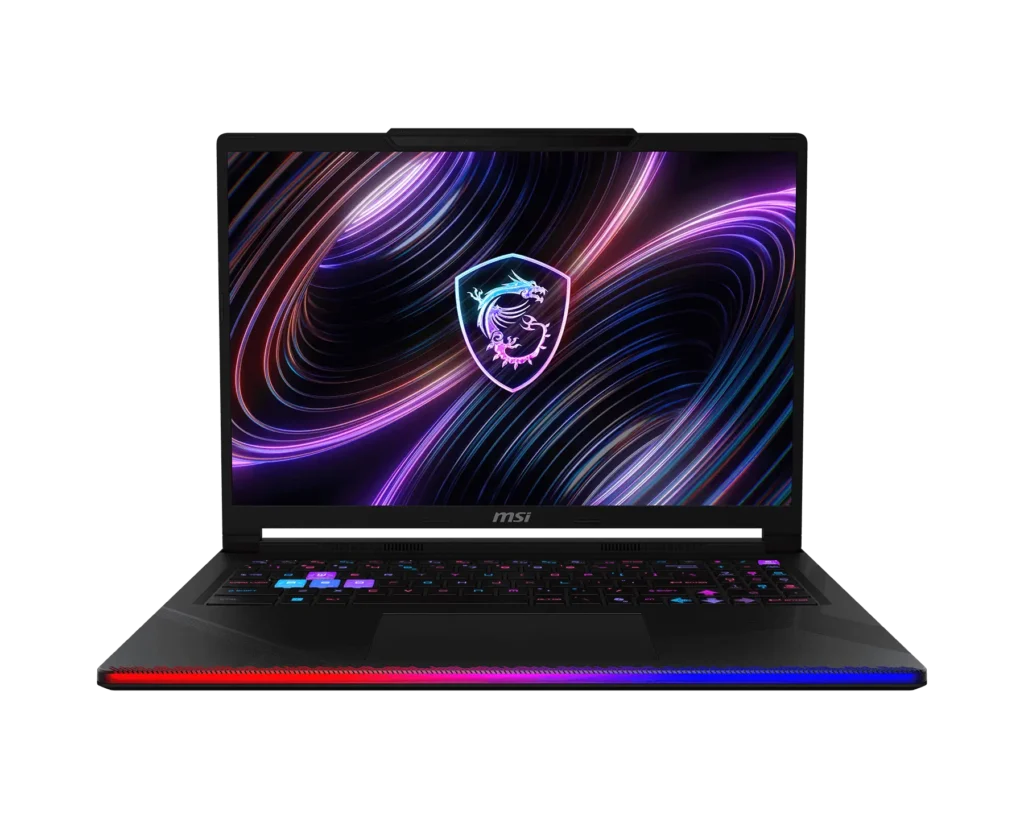
The third-party picture agrees on the hardware. Notebookcheck reviewed the Raider 16 Max HX with an RTX 5090 configuration and rated it 88 percent. In its Geekbench AI GPU 1.7 run, that unit scored 25,151 quantized, 55,223 half, and 31,828 single precision. That is a different GPU tier from the 5070 Ti I tested, so don’t read those as numbers for mine. Notebookcheck also measured a peak SDR brightness of 487.2 cd/m2 and a weight of 5.85 lb. Tom’s Hardware also tested the Raider 16 Max HX with an RTX 5090 and measured 8 hours and 34 minutes of battery life in its web browsing and video streaming test at 150 nits. It described the fan noise as well controlled.

It is a big laptop. MSI lists it at about 5.73 lb., and the 400W power adapter is as large as you would expect, so this is a laptop you move between desks and not one you carry all day. The OLED display is glossy and shows glare in bright rooms. The upside is that it opens up easily, as I described earlier.
Who should skip it: anyone who carries a laptop every day, or who wants touch and a pen. If that’s you, the next one weighs about 1.3 lb less, and you’ll notice it in your shoulders.
Who is the MSI Stealth 16 AI+ for?
The MSI Stealth 16 AI+ is for people who want serious GPU power in a thin body they’ll carry everywhere. The Stealth I tested has a Core Ultra 9 386H, an RTX 5060 Laptop GPU with 8GB of VRAM, and 32GB of DDR5-5600, so I sized every model to that 8GB.
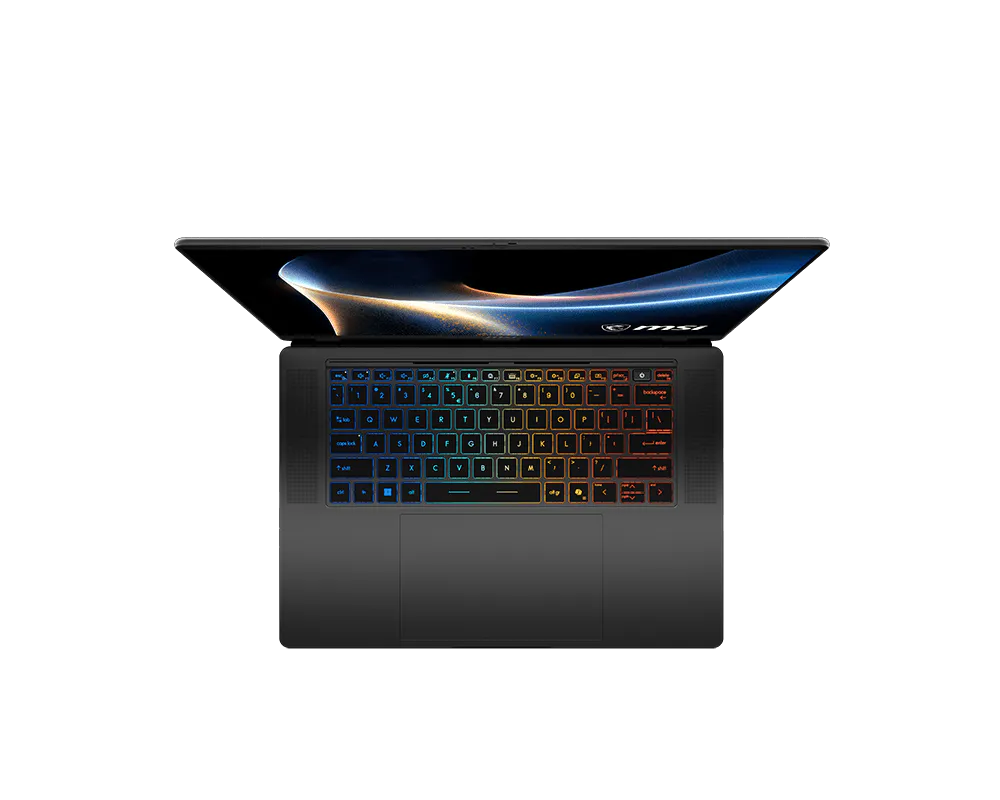
That sizing paid off. Models in the 7B to 8B range finished fast, at roughly 50 to 69 tokens per second, with the manual tuning I described earlier. Qwen3.5-9B was too much of a model for 8GB of VRAM, and I got slow runs and loud fans. It’s a good example of why the formula wants breathing room. MSI lists a 90Whr battery and a 240W adapter, and estimates the weight at about 4.39 lb.
Notebookcheck reviewed the Stealth 16 AI as well. It tested a version with an RTX 5070 Ti Laptop GPU, a step up from the RTX 5060 in the one I tested, and rated it 88 percent. It weighed 4.48 lb. and scored 16,823 quantized, 36,110 half, and 21,236 single precision in Geekbench AI GPU 1.7. As with the Raider, that is a different GPU tier from mine, so those numbers don’t describe my unit. Notebookcheck also lists the lack of a touchscreen as a con.
The tradeoff is the memory ceiling. Eight gigabytes of VRAM tops out around 11B models by the napkin formula (MSI also offers a 16GB version), and the MSI Prestige N16 Flip AI+ lists far more memory in a body of similar weight. As for the Raider versus the Stealth, my rule is simple. If the models are the point, buy the Raider. If your laptop rides in a bag every day and 7B to 8B models cover your work, buy the Stealth.
Who should skip it: anyone who plans to run models larger than about 11B on the 8GB version I tested, or anyone who wants touch and a pen.
That leaves the newest, least-proven laptop in the guide, and the one I can only describe from the outside.
What is the MSI Prestige N16 Flip AI+, and who should consider it?
I want to be upfront: I haven’t tested the MSI Prestige N16 Flip AI+. I don’t have a unit, so think of this section as a movie trailer and not a review. I can tell you what MSI and Micro Center say, and how I’d think about it. Independent reviews should be out by the time you read this, so check what reviewers found.

The MSI Prestige N16 Flip AI+ is built on NVIDIA’s RTX Spark platform, a system-on-a-chip that, according to Micro Center’s listings, pairs a 20-core N1X processor with a 6144-core Blackwell GPU and shares up to 128GB of LPDDR5X-9600 memory between them. That shared memory is why you should care about this laptop. If you read the memory section earlier, you know why: one lecture hall, no hallway between classrooms, so the N16 can hold AI models far larger than would fit in a gaming laptop’s VRAM. Apple’s M-series Macs use shared memory too, so the idea may already be familiar.
NVIDIA’s Find Your Spark guide lists up to 200B parameters on the 128GB tier (with heavily compressed mixture-of-experts models, as I explained earlier), while MSI’s own comparison puts a 24GB RTX 5090 laptop GPU at about 32B. The trade-off is speed. MSI says the RTX 5080 and 5090 laptop GPUs have about 3x the memory bandwidth, so a model that fits in their VRAM will run faster there. MSI says RTX Spark supports its strategy of bringing powerful local AI into premium, versatile laptops, and that the unified memory “provides capacity for larger local models.”
Here is what MSI told me about the software side. The N16 is ARM-based and runs Windows, and MSI says LM Studio works on it. ARM-based means the processor uses a different design from the Intel chips in the other two, so it’s worth checking that the apps you rely on run on Windows on ARM before you buy. LM Studio’s system requirements list Windows on ARM but name Snapdragon X Elite systems. Its 0.4.26 release notes, which MSI pointed me to, add CUDA 13 support on Windows on ARM and fix a bug where CUDA wasn’t detected there. CUDA is NVIDIA’s software for running work on its GPUs, so that is a good sign for the N16. The notes don’t mention the N16 by name, though, and I haven’t tested it.
MSI describes a 16-inch touchscreen with a 360-degree flip and a weight under 4.2 lb. The battery is rated up to 99.9Wh, and it charges up to 140W over USB-C. MSI also lists Vapor Chamber cooling and an Action Touchpad. An MSI Nano Pen is included and stored in a groove in the body.
Memory tiers matter more here than on the other two, because they can’t change after purchase. MSI frames the 32GB version as the everyday tier, the 64GB version as the creative tier, and the 128GB version as the research and development tier. Storage is 1TB on the 32GB and 64GB versions and 2TB on the 128GB version. The display also changes by tier: MSI lists a UHD+ Tandem OLED on the 128GB model only, with 2.8K OLED on the others, all at 120Hz. That means the price jump to 128GB buys more than memory.
My view comes from the form factor, not this laptop. When I reviewed the MSI Prestige 14 Flip, the pen and flip hinge mattered more than the spec sheet suggested, and the touchscreen and pen covered note-taking. I expect the same to hold at 16 inches, but I can’t prove it until I have an N16.
Who should skip it: anyone who needs proven local AI speed today or wants memory they can upgrade later. And since it runs Windows on ARM, check that the apps you depend on will run before you buy.
If you’re still with me, it’s decision time.
Which should you buy: the MSI Raider 16 Max HX, MSI Stealth 16 AI+, or MSI Prestige N16 Flip AI+?
I know that was a lot of numbers. Let’s turn them into a decision. I’ll give you a quick verdict on each laptop first, then three questions that point you toward one.
|
MSI Raider 16 Max HX Buy it if you want fast local AI with models that fit in 12GB of VRAM, or up to 24GB on the RTX 5090 version, which MSI says handles models up to about 32B. Gaming and creating are the bonus, and you shouldn’t mind carrying about 5.73 lb. and a big power adapter. Skip it if you carry your laptop every day or want touch and a pen. |
|
MSI Stealth 16 AI+ Buy it if you want strong GPU power in a thin body and your work lives in the 7B to 8B range, or up to about 14B to 15B on the 16GB RTX 5080 version MSI lists. Skip it if you plan to run models larger than about 11B on the 8GB version I tested. |
|
MSI Prestige N16 Flip AI+ Buy it if you want to run models too big for a gaming laptop’s VRAM, up to 200B on the 128GB version by NVIDIA’s numbers, using heavily compressed mixture-of-experts models, along with touch and a pen in one body. You should also be comfortable with speed that is unproven until you’ve seen the reviews, because a model that fits in an RTX 5080 or 5090’s VRAM will run about 3x faster there, so this one is about capacity. Skip it if you need proven local AI speed today or want memory you can upgrade later. |
What size of model do you want to run? Start here, because it decides most of the rest. If you plan to stay in the 7B to 8B range, any of the three can work. If you want 14B, the Raider is the laptop I’ve measured doing it well. If you want to experiment with something much larger, the N16’s shared pool is worth considering, with the caveat that I haven’t measured it.
Do you carry it every day? The Stealth is the easy answer. The N16 weighs under 4.2 lb. by MSI’s numbers and flips 360 degrees, so it competes for the carry-everywhere job, too. The Raider does not.
Do you need touch and a pen? Then the N16 is the only one of the three where MSI lists a touchscreen.
On N16 tiers, Micro Center lists $3,299.99 for 32GB, $4,199.99 for 64GB, and $6,799.99 for 128GB. The 128GB step also adds 2TB of storage and the Tandem OLED, so the gap is not memory alone.
On the Raider, the unit I tested has an RTX 5070 Ti with 12GB of VRAM. Tom’s Hardware tested an RTX 5090 with 24GB, which, by my napkin formula (24 × 1.4), leaves room for models of roughly 33B, though I haven’t tested that tier.
If you need a desktop-class GPU, or you’d rather read the N16 reviews first, waiting is a perfectly respectable choice.
And if you still have questions, you’re in good company. Below are some I expect to hear most.
Frequently Asked Questions
-
Can the MSI Raider 16 Max HX, MSI Stealth 16 AI+, and MSI Prestige N16 Flip AI+ run local AI without an internet connection?
Yes. Once you download an app like LM Studio and a model, the model runs on the laptop, so your prompts and documents don’t go to a cloud service. I tested local models on the MSI Raider 16 Max HX and the MSI Stealth 16 AI+. I have not tested the MSI Prestige N16 Flip AI+, though MSI says LM Studio works on it.
-
How do I know if a local AI model will fit on the MSI Raider 16 Max HX, MSI Stealth 16 AI+, or MSI Prestige N16 Flip AI+?
Take the number in front of the B and multiply it by 0.7. That is roughly how many gigabytes of memory the model needs. A 14B model needs about 10GB, so it fits a 12GB graphics card. Compare the result to your fast memory: VRAM on the Raider and Stealth, and the memory you give the GPU on the Prestige N16 Flip AI+. It’s napkin math and not a guarantee, so leave some breathing room.
-
How much memory does a 14B model need on the MSI Raider 16 Max HX?
A 14B model at Q4_K_M is a file of roughly 9GB, or about 10GB with room for the context window. The Qwen3-14B I tested fit in the 12GB of VRAM on the MSI Raider 16 Max HX and averaged 39.78 tokens per second in my non-scientific Raider tests. A 27B model, about twice the size, spilled into system memory and averaged 5.29 tokens per second.
-
Is the MSI Prestige N16 Flip AI+ unified memory the same as the MSI Raider 16 Max HX VRAM?
No. VRAM is the graphics card’s private classroom on the Raider, and only the GPU uses it. The MSI Prestige N16 Flip AI+ has 32GB, 64GB, or 128GB of LPDDR5X-9600 memory that the CPU and GPU share, like one big lecture hall, and it is soldered to the board. A shared pool lets larger models load, but I haven’t measured how fast they run. MSI says VRAM on an RTX 5080 or 5090 is about 3x faster. Apple uses the same shared-memory idea in its M-series Macs.
-
Which is better for local AI, the MSI Raider 16 Max HX or the MSI Stealth 16 AI+?
Choose the MSI Raider 16 Max HX if you want larger models. The one I tested has 12GB of VRAM, compared to 8GB in the MSI Stealth 16 AI+ I tested. Choose the Stealth 16 AI+ if you carry your laptop every day and mostly run 7B to 8B models, which ran at about 50 to 69 tokens per second in my Stealth tests. MSI also offers up to 24GB on the Raider and 16GB on the Stealth.
-
Is the MSI Prestige N16 Flip AI+ good for local AI?
On paper, yes, if capacity is what you need. MSI lists up to 128GB of memory shared between the CPU and GPU, and NVIDIA says the 128GB version can run models up to 200B parameters (with heavily compressed mixture-of-experts models), far more than the 12GB and 8GB of VRAM in the Raider and Stealth I tested can hold. The trade-off is speed: MSI says the VRAM in an RTX 5080 or 5090 laptop is about 3x faster, so a model that fits there will run faster. I haven’t tested the N16, so check the independent reviews for its speed.
-
Does NPU TOPS matter for language models on the MSI Stealth 16 AI+ or MSI Prestige N16 Flip AI+?
Not much. TOPS is a headline rating, and it doesn’t tell you how a chat will feel. In my LM Studio tests on the MSI Stealth 16 AI+, how well the model fit in memory mattered more. Models sized for the 8GB of VRAM finished fast, and the one that was too big ran slowly with loud fans.
-
Which MSI laptop is best for students or office work: the MSI Prestige N16 Flip AI+, MSI Stealth 16 AI+, or MSI Raider 16 Max HX?
The MSI Prestige N16 Flip AI+ is the one where MSI lists a touchscreen, pen input, and a 360-degree flip, which suits note-taking and marking up documents. I haven’t tested it, so I’m going by MSI’s specs and my time with the MSI Prestige 14 Flip. The MSI Stealth 16 AI+ is lighter than the MSI Raider 16 Max HX, at about 4.39 lb. against about 5.73 lb.
-
Can I upgrade the memory on the MSI Prestige N16 Flip AI+ later?
No. MSI confirmed the memory is soldered, so you choose 32GB, 64GB, or 128GB when you buy. MSI lists two memory slots, up to 128GB, on both the MSI Raider 16 Max HX and the MSI Stealth 16 AI+, and the Raider I tested has a bottom access panel. Added RAM lets an oversized model load there, but it doesn’t add VRAM, so that model could still run slowly.
Final thoughts: which MSI laptop fits your local AI work?
Have a headache yet? If all these numbers, configurations, and formulas left you more confused than when you started, take a breath. Here is the whole guide in three paragraphs.
The MSI Raider 16 Max HX is for the person who wants the largest models that fit in 12GB of VRAM and doesn’t mind the weight. The MSI Stealth 16 AI+ is for the person who needs a thin laptop with real GPU power, mostly for models in the 7B to 8B range. The MSI Prestige N16 Flip AI+ is for people who want a large memory pool in a 2-in-1 with touch and a pen.
The decision rule hasn’t changed since the start of the guide: fit the model to your fast memory. You can upgrade memory on the Raider and Stealth, but extra RAM doesn’t add VRAM. The N16’s memory is fixed at purchase, and the GPU can use only part of it. What’s still unproven about the N16 is its speed and how well it handles the apps you care about.
So, I’m back to the laptop that took five minutes to answer one question. It wasn’t broken. It was the wrong model for the memory. Match the model to the memory, and the rest of the spec sheet starts to make sense.
HTD says: I’d buy the MSI Raider 16 Max HX for local AI today, because it’s the fastest I’ve measured and it handles models up to about 14B comfortably. The MSI Stealth 16 AI+ is the better pick if the laptop lives in your bag and your models stay small, and the MSI Prestige N16 Flip AI+ is the one I’m watching closely because its shared memory pool is large enough to run models the other two can’t hold. Whichever you choose, pick the AI model size first.


