
“install” collection
October 23, 2014
13 Tips to Optimize Your Mac After Yosemite Installation [UPDATED]
As most of us know, Apple's latest operating system Yosemite (10.10), a free upgrade from Apple, is now available. And with it come a lot of nice new features, visuals and enhancements. But, as with any upgrade, there is always the possibility of having issues. While I had been running the Developer Preview on my MacBook Air and had not…
Read more →
February 1, 2012
If Your Laptop is Jealous of your Ultrabook, Give it a Hybrid SSD from Seagate – the Momentus XT
I have an Ultrabook and a MacBook Air and my non-SSD traditional laptop is getting jealous. It told me that it wants to be more like them, faster booting up and able to launch applications more quickly. "Why can't I be like those super slim laptops you are always using?" it always asks me. Obviously there is no way for…
Read more →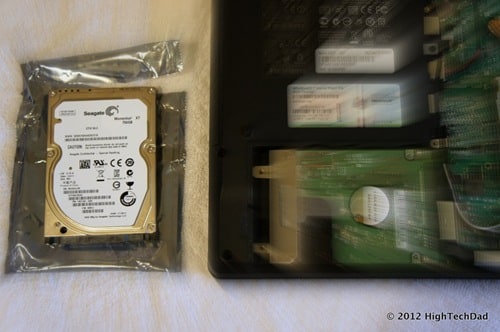
July 22, 2011
VIDEO – How to Re-Download Mac OS X Lion & Create Bootable Install DVD & USB Thumb Drive
Yesterday I wrote a post "How To Re-Download Mac OS X Lion & Create a Bootable Install DVD" and it seems to be helping a lot of people out there. So, sometimes it is even more helpful to create a video that explains the process, so I quickly put one together. Also, a few users were wondering how to create…
Read more →
July 21, 2011
How To Re-Download Mac OS X “Lion” & Create a Bootable Install DVD
In my excitement yesterday about the release of the new Macintosh operating system called "Lion", I downloaded and installed the new OS without thinking about creating a bootable DVD since Lion is the first Apple OS to NOT come on DVD but rather be distributed via the App Store. You will also be able to order a USB stick from…
Read more →
March 18, 2011
How To Resolve Error 29 on the iPhone 3GS: Update Error Caused by Battery Replacement – CONFIRMED
This past weekend, I tried to upgrade my old iPhone 3GS to the latest version of iOS (version 4.3). Unfortunately during the upgrade process, I ran into a "little" issue, that of the fact that my iPhone 3GS got stuck in a recovery loop and kept failing during the upgrade/update process with an Error Code 29. I documented the issue…
Read more →
April 2, 2010
Video & How-To Install a Hard Drive on a MacBook Pro (non-unibody): Clone & Boot Camp too!
For all of those people who are interested in breathing a little bit of life into an older MacBook Pro, this post is for you. My non-unibody 15" beaten and worn MacBook Pro had about 3 GB of free hard drive space on it. And this is even after I had upgraded it about 2 years ago with a 320…
Read more →
January 11, 2010
How to Remove an Old Microwave & Install a New Panasonic Microwave (Model: NN-SD277WR)
Most people don't think of a microwave as a gadget, but I guess if it plugs in, has buttons and a display, it excites me a bit. But before I go in a major analysis of popcorn pop timing (or burning), I wanted rewind back. Here's the story. I had a microwave that was on its last legs, the outer…
Read more →
July 17, 2007
Fix-it: iTunes 7.3.1.3 install Error 2908 on Windows
Well, I'm back from a vacation in Mexico and have been catching up on things. Playing with my new 4 Gig iPhone and getting things working has taken a little bit of time. In the process of doing that, I saw that there was an update to iTunes for PC (I'm on Vista Ultimate) for version 7.3.1.3 and I ran…
Read more →


